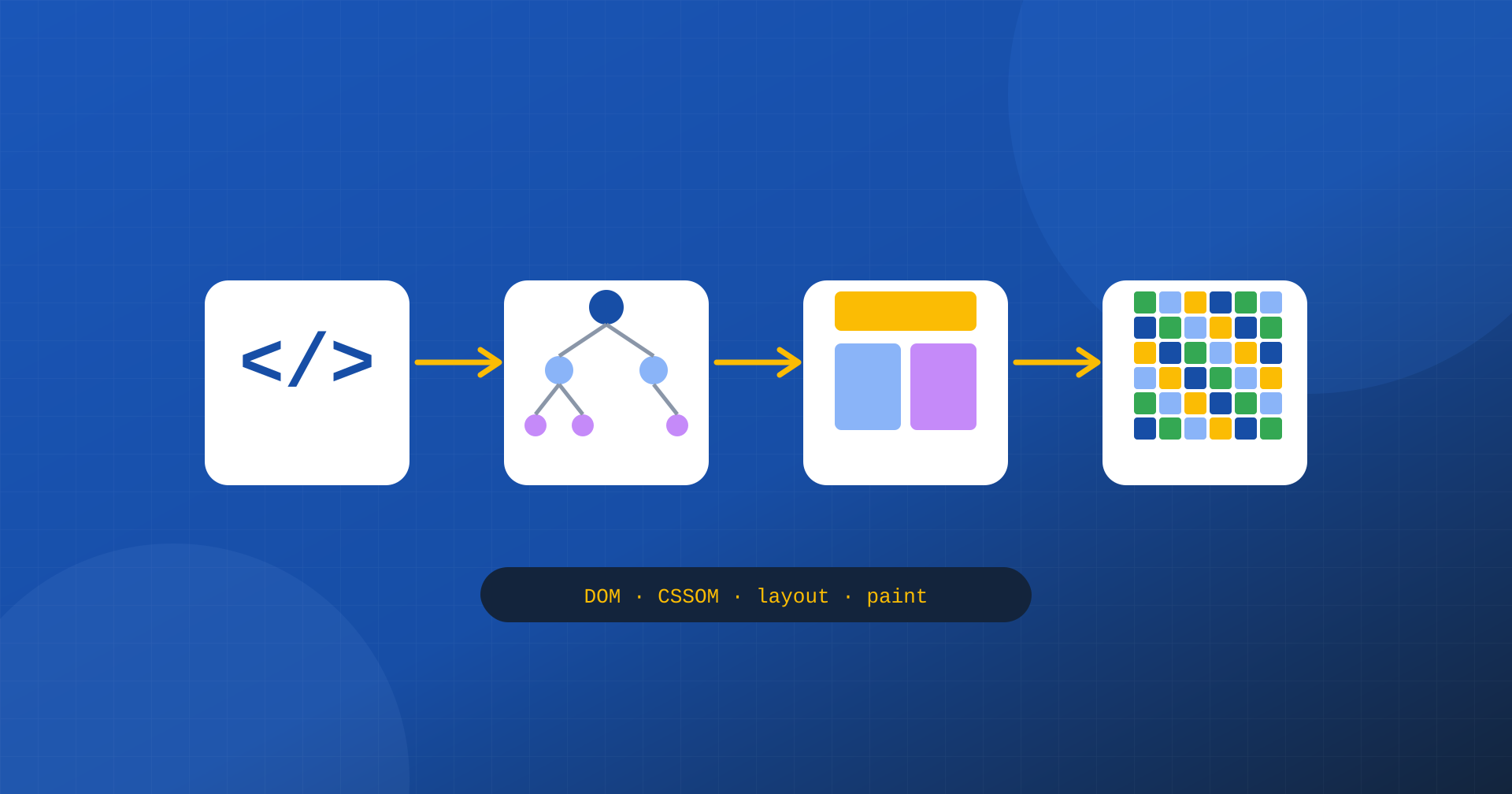
Many of the optimizations discussed in web performance, from critical CSS to script deferral, from image priority to font preloading, only make sense if you understand an underlying process: the way the browser turns an HTML document, a few stylesheets and some scripts into the pixels that appear on screen. This process is called the critical rendering path, and knowing it changes how you look at a slow page: instead of a list of tips to apply, it becomes clear why some resources make the user wait and others don’t.
In this article we walk through it step by step, taking nothing for granted: what the browser does with HTML, what it does with CSS, where JavaScript comes in, which stages lead to painting, and what blocks the first paint. By the end, the link with metrics such as FCP and LCP will be obvious.
From HTML to the DOM
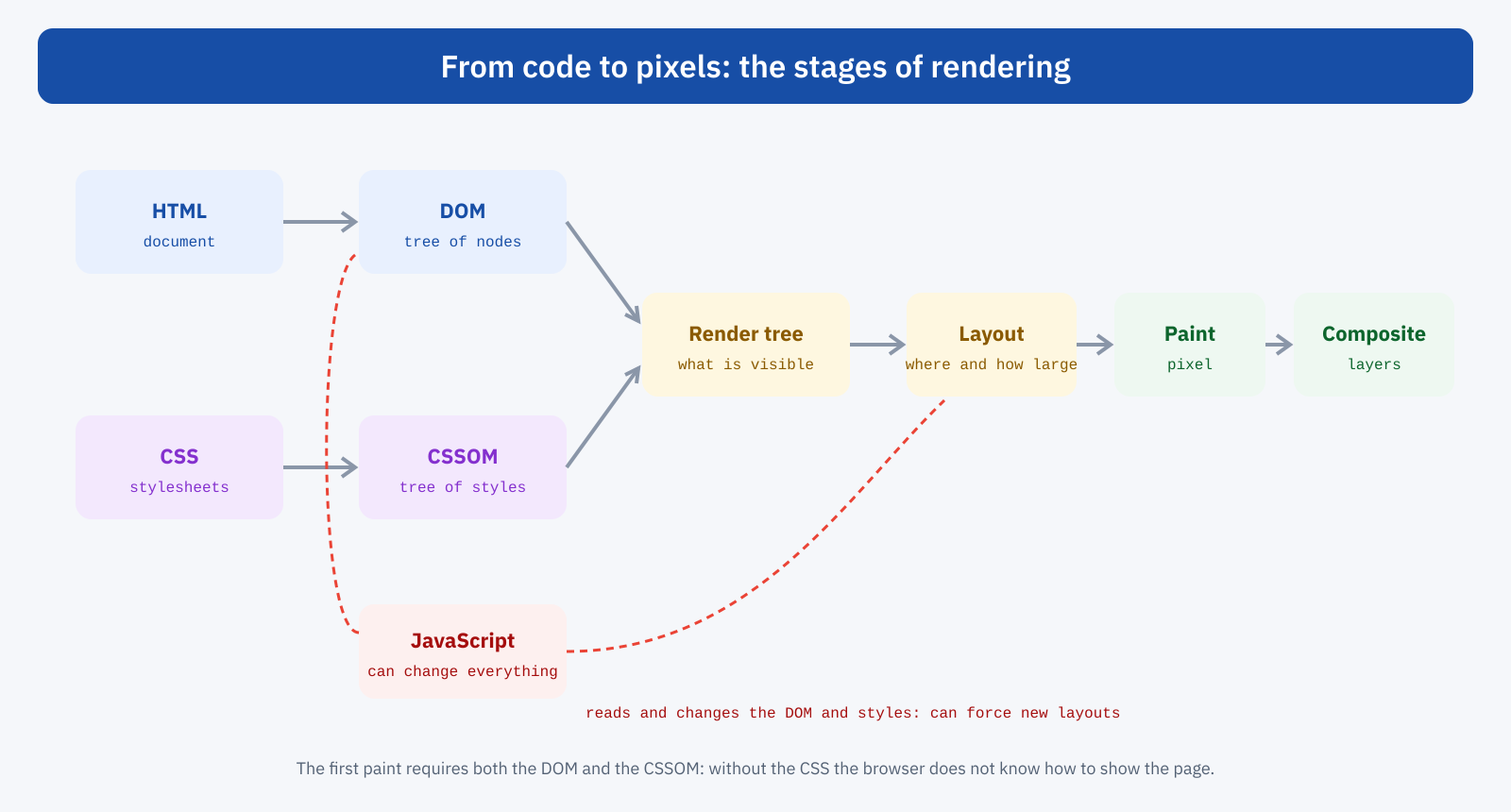
It all starts with the HTML document. The browser receives it as a sequence of bytes and reads it progressively, as it arrives, without waiting to have all of it. While reading, it recognizes the tags, turns them into nodes and builds a tree structure that represents the page: the DOM, Document Object Model. Every element, from the heading to the paragraph, from the image to the button, becomes a node in this tree, with its own attributes and its own children.
While reading, the browser comes across references to other resources: stylesheets, scripts, images, fonts. A dedicated component, the preload scanner, scans the document ahead of time to discover them as early as possible and start downloading them in parallel. This is one of the reasons why a resource declared directly in the HTML is downloaded much earlier than one inserted by another file or by a script.
From CSS to the CSSOM
In parallel the browser processes the stylesheets and builds a second structure, the CSSOM, CSS Object Model, which contains all the style rules with their priorities. Here there is an important difference from HTML: CSS cannot be applied piecemeal. A rule at the end of the stylesheet can override a rule at the beginning, so the browser must have the whole stylesheet before it can say for certain how an element looks.
This is why stylesheets loaded in the page header block rendering: until they have arrived and been processed, the browser paints nothing. It is a deliberate choice, to avoid showing the page without styles and then repainting it, which would be unpleasant for the user. But it means that every kilobyte of CSS loaded in a blocking way sits on the path to the first paint.
The role of JavaScript
JavaScript complicates the picture, because it can do almost anything: read and modify the DOM, add or remove elements, change styles, even write new HTML into the document. For this reason, when the browser meets a regular script while reading the HTML, it stops: it has to download it, if it is external, and run it before continuing, because the script might change what comes next. And since a script can read the styles of elements, the browser must also have completed the preceding stylesheets before running it.
A synchronous script in the header, then, blocks DOM construction, waits for the CSS and occupies the main thread with its own execution, all before the user sees anything. The defer and async attributes change this behavior: with defer the script is downloaded in parallel and executed only after the document has been fully read, in the order in which it appears; with async it is executed as soon as it is downloaded, with no guaranteed order. Module scripts behave like deferred ones by default.
<!-- Blocks reading of the document until it is downloaded and executed -->
<script src="/js/app.js"></script>

<!-- Downloaded in parallel, executed after the document is read -->
<script src="/js/app.js" defer></script>

<!-- Downloaded in parallel, executed as soon as it is ready -->
<script src="/js/statistiche.js" async></script>
Render tree, layout, paint and composite
When the DOM and CSSOM are ready, the browser combines them into the render tree, which contains only the elements to be shown with their computed styles. Elements hidden with display: none, for example, are not part of it.
Layout follows: the browser calculates the exact position and size of every element, based on screen width, text, images and layout rules. It is a calculation that depends on the relationships between elements, and its cost grows with the size and complexity of the page, as we saw when discussing the cost of the DOM in page builders.
Then paint, the actual drawing: the browser produces the pixels for text, colors, borders, shadows and images. Finally composite: the page may be split into layers, for example for animated or fixed-position elements, which are drawn separately and then combined, often with the help of the graphics card. Separating layers makes it possible to update one part of the page without repainting everything else.
These stages do not happen only once. Every later change, such as an element added by JavaScript, an image that arrives, a font that gets swapped in, can require repeating style calculation, layout and painting, in whole or in part. This is how the shifts measured by CLS and the work that slows the interactions measured by INP come about.
What delays the first paint
Putting the pieces together, the first paint of a page, measured by First Contentful Paint, can happen only when the browser has received the HTML at least up to the content to be shown, has downloaded and processed all the render-blocking stylesheets and has run all the synchronous scripts that precede it. The critical path is the set of these resources and the steps that link them: its length determines how long the user waits in front of a blank screen.
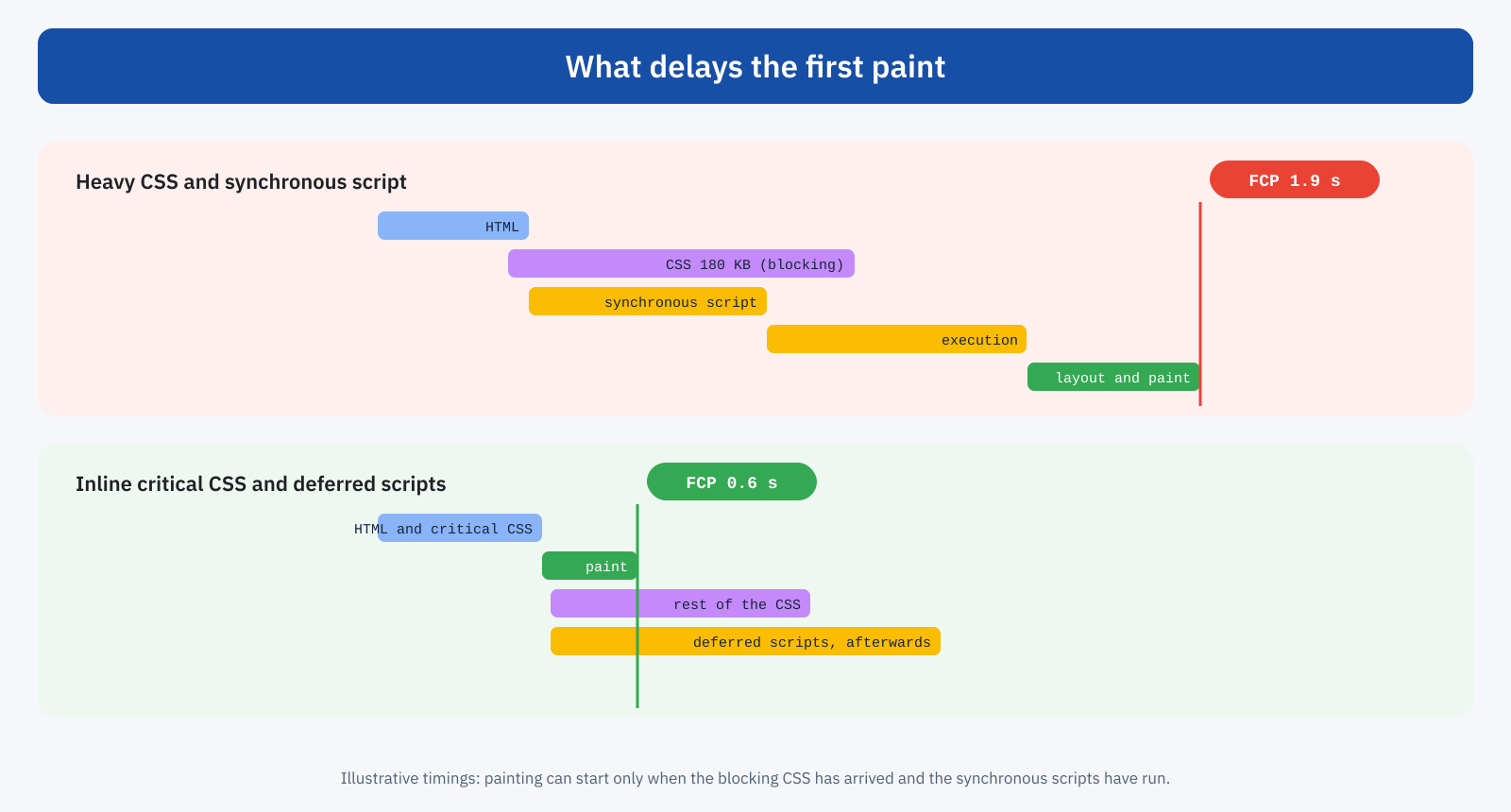
The critical path is measured in three dimensions: the number of critical resources, their total weight and the number of round trips needed to obtain them. A stylesheet that imports another adds a trip; a font declared in the CSS adds yet another; a script that inserts a stylesheet adds a third. These chains are clearly visible in the network request waterfall in DevTools.
The case of fonts
Fonts deserve a separate discussion, because they sit in a particular position on the path. The browser discovers it needs a font only when it has processed the CSS and found a visible element that uses it: the font therefore starts after the stylesheet, at the end of the chain. Meanwhile the browser has to decide what to do with the text. With the font-display: block rule it hides the text for a short period while waiting for the font; with font-display: swap it shows it right away with a fallback font and swaps it when the font arrives. The first choice delays the appearance of the text, and therefore the first meaningful paint and often LCP; the second shows the content immediately, at the price of a small visual change that font metric override properties can make almost imperceptible. Bringing the main font forward with a preload and hosting it on your own domain shortens the chain further.
How to shorten the path
The techniques for improving the first paint are better understood in light of the critical path: each one reduces the number, the weight or the depth of critical resources.
- Less blocking CSS. Inline in the HTML only the styles needed for the visible part of the page and load the rest in a non-blocking way, as explained in the article on critical CSS; remove unused rules.
- No synchronous scripts in the header. Use
deferfor application scripts,asyncfor independent ones, and postpone until interaction whatever is not needed right away, as in the JavaScript delay technique. - Shorter chains. Avoid
@importin stylesheets, declare critical resources directly in the HTML, preload the fonts and images that would otherwise be discovered late. - HTML that arrives early. Everything starts from the HTML: a low TTFB, thanks to page caching, moves the whole path forward.
- Lighter resources. Compression, minification and fonts trimmed to the necessary characters, as seen in the article on font subsetting, reduce the download time of every critical resource.
From first paint to LCP
The critical path determines the first paint, but LCP also depends on another resource: the largest element on the page, often an image. Even if the CSS is ready, LCP cannot happen before the main image has been downloaded and decoded. For this reason, optimizing the critical path must go hand in hand with optimizing the LCP element: early discovery in the HTML, high priority, suitable format and size. When text is the LCP element, on the other hand, the font comes into play: if the heading font arrives late and the browser hides the text while waiting, LCP shifts accordingly.
How to observe it
The Performance panel in Chrome DevTools shows the critical path in action: reading the HTML, style calculation, layout, paint, with network resources aligned over time and the moments of the first paint and LCP marked on the trace. In the Network panel, render-blocking resources can be recognized by their high priority and their position at the start of loading. Lighthouse and PageSpeed Insights report a list of render-blocking resources and an estimate of the time that would be saved by eliminating them; recent versions also show the network dependency tree, with the chains of critical requests.
A useful exercise is to compare the filmstrip of a page load with the critical path: the moment the page stops being blank coincides with the arrival of the last blocking resource. Removing that resource from the path, or making it lighter, visibly moves the first frame with content forward.
An example
Take an article page on a WordPress site with a feature-rich theme. The header contains five stylesheets, one of which imports fonts from an external service, and three synchronous scripts, including a library for scroll effects. The waterfall shows a chain of four steps before the browser can paint: HTML, main stylesheet, imported stylesheet, font file. On mobile, the first paint arrives after 2.4 seconds. The fixes are few: the CSS needed for the visible part is inlined in the HTML and the rest loaded in a non-blocking way, the fonts are hosted on the site and declared directly, the three scripts get defer and the effects library is loaded only on the pages that use it. The first paint falls below one second, with no visible change for the reader.
In short
To show a page the browser builds the DOM from the HTML and the CSSOM from the stylesheets, combines them into the render tree, calculates the layout, paints and composites the layers. CSS in the header blocks rendering because it has to be complete before being applied; synchronous scripts block reading of the document and wait for the CSS. The set of these resources and the steps that link them is the critical path, and its length determines the moment of the first paint.
All the main loading optimization techniques, from critical CSS to the defer and async attributes, from preload to page caching, are ways of shortening this path: fewer critical resources, lighter, with fewer steps between one and the next. Understanding it doesn’t require becoming a developer, but it lets you read a performance report knowing why each suggestion matters, and which matters most.
