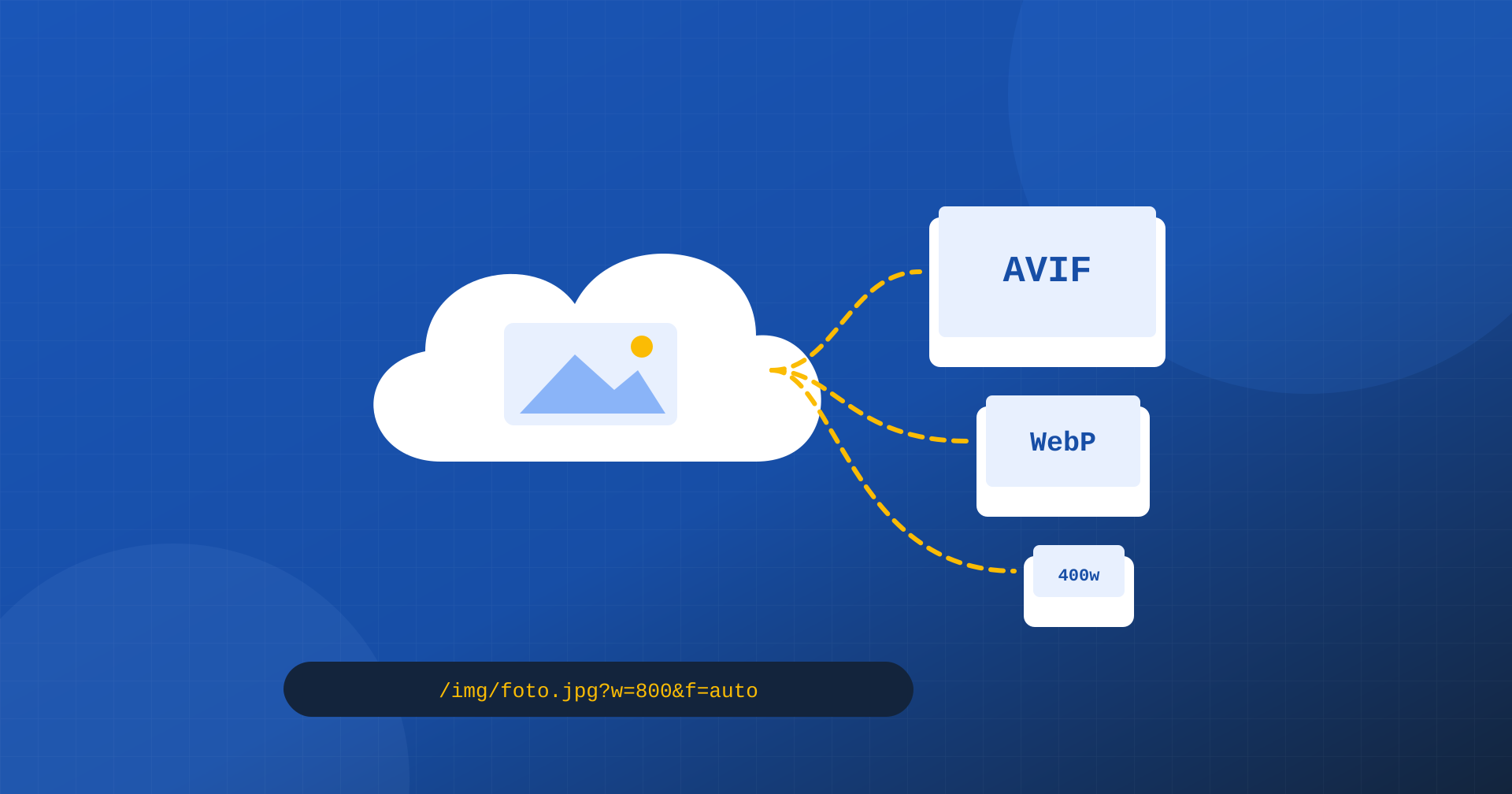
Images are almost always the heaviest part of a page, and optimizing them well takes many things together: modern formats such as AVIF and WebP, sizes suited to every slot and every screen, reasonable compression quality, fast delivery to users scattered across different places. Done by hand, or with the basic tools of a CMS, it is a job that rarely succeeds on all the images of a site. Image CDNs promise to do it automatically: you upload an image once, and the service produces all the variants needed on the fly.
In this article we look at how they work, what they offer compared with plugins that optimize images directly on the server, what the costs and risks are, and how to tell whether adopting one really pays off for a site.
How an image CDN works
An image CDN is a service that sits between the site and the browser. The site keeps only the original image, at the highest quality available. Pages, instead of pointing directly to the file, point to a service URL that contains the instructions for the transformation: the desired width, the type of crop, the quality, the format. When the first request arrives for a given combination of parameters, the service downloads the original, transforms it, sends it to the browser and stores it in its own cache; later requests for the same variant are served directly from the cache of the node closest to the user.
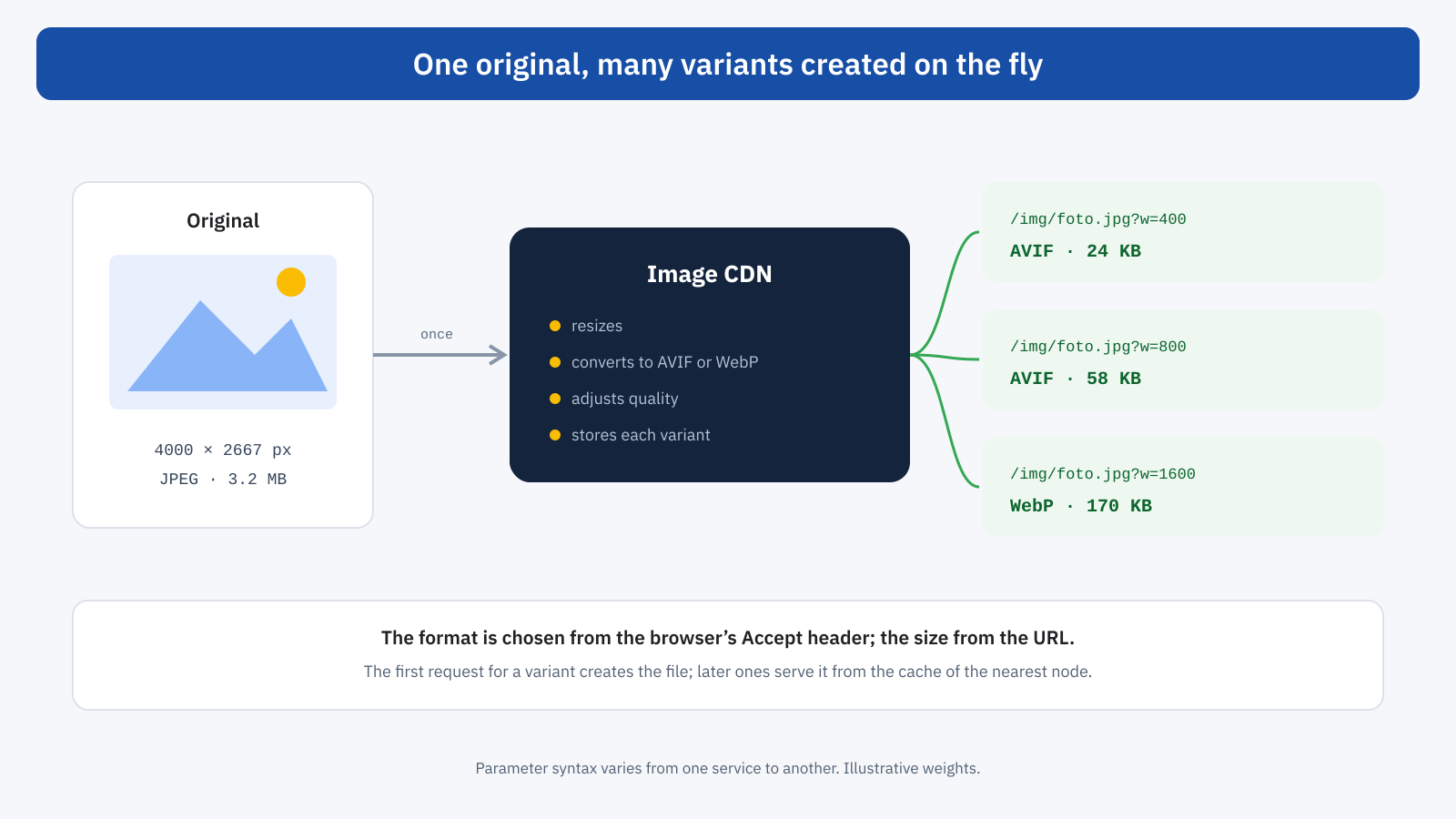
The format is usually chosen automatically based on the Accept header sent by the browser: those who support AVIF receive it, the others receive WebP or JPEG. It is the same negotiation mechanism described in the article on WebP and AVIF formats, with correct handling of the cache and of the Vary header left to the service. Many services can also adjust quality automatically based on the content of the image, compressing more where the loss is not noticeable.
<!-- The same image in four widths, format chosen by the service -->
<img src="https://img.esempio.it/prodotti/divano.jpg?w=800&f=auto&q=auto"
	srcset="https://img.esempio.it/prodotti/divano.jpg?w=400&f=auto&q=auto 400w,
	        https://img.esempio.it/prodotti/divano.jpg?w=800&f=auto&q=auto 800w,
	        https://img.esempio.it/prodotti/divano.jpg?w=1200&f=auto&q=auto 1200w,
	        https://img.esempio.it/prodotti/divano.jpg?w=1600&f=auto&q=auto 1600w"
	sizes="(min-width: 1024px) 50vw, 100vw"
	width="1600" height="1067" alt="Three-seat green velvet sofa">
The syntax of the parameters varies from one service to another: some put them at the end of the URL, others in the path. The principle is the same, and it combines naturally with responsive images: every srcset entry becomes a URL with a different width, without having to generate any file in advance.
What you gain
- Exact sizes. Every slot on the page can receive an image of the right width, not the closest of the few sizes generated by the CMS. For a new layout you just change the parameters, without regenerating thousands of files.
- Modern formats with no work. AVIF and WebP are produced and served automatically, and when a better format arrives the service only needs to support it.
- Less load on the server. The origin server does not have to generate variants when images are uploaded or serve them on every visit: the service does it, from its own network.
- Delivery close to users. Images are served from geographically distributed nodes, with shorter connection and download times for visitors far from the server.
- Extra features. Smart cropping on the subject, metadata removal, conversion of animated GIFs to video, watermarks: features that would require specific software on the server.
What it costs, and what it risks
The first cost is financial. Pricing is usually based on the number of transformations, the traffic served or both, and grows with the site. For a site with a few hundred images and moderate traffic the spend can be minimal; for a catalog with hundreds of thousands of products and many visits it has to be estimated carefully, also because every combination of width, format and quality counts as a distinct variant.
The second concerns the performance of the first request. When a variant is not yet in the cache, the service has to download the original and transform it, and this request can take hundreds of milliseconds. For heavily visited images the problem solves itself, but for the main image of a new page, which is often the LCP element, the first visitor may pay the cost. Some services let you pregenerate the main variants; alternatively you can visit new pages right after publishing.
The third is the domain. If images are served from a domain different from the site’s, the browser has to open an additional connection, with DNS resolution, TCP and TLS: a cost paid on the most important image. A preconnect to the service’s domain, as explained in the article on preload, preconnect and fetchpriority, reduces it; many services also let you use a subdomain of the site or go through the same CDN that serves the pages, eliminating the additional connection.
The fourth is vendor lock-in. Image URLs with the service’s parameters end up in content, templates and sometimes newsletters: changing service means rewriting them. It is therefore worth generating URLs from a single point, for example a theme function or a plugin, instead of inserting them by hand, and always keeping the originals on your own site.
The alternatives
An external service is not always needed. There are three main approaches, each suited to different situations.
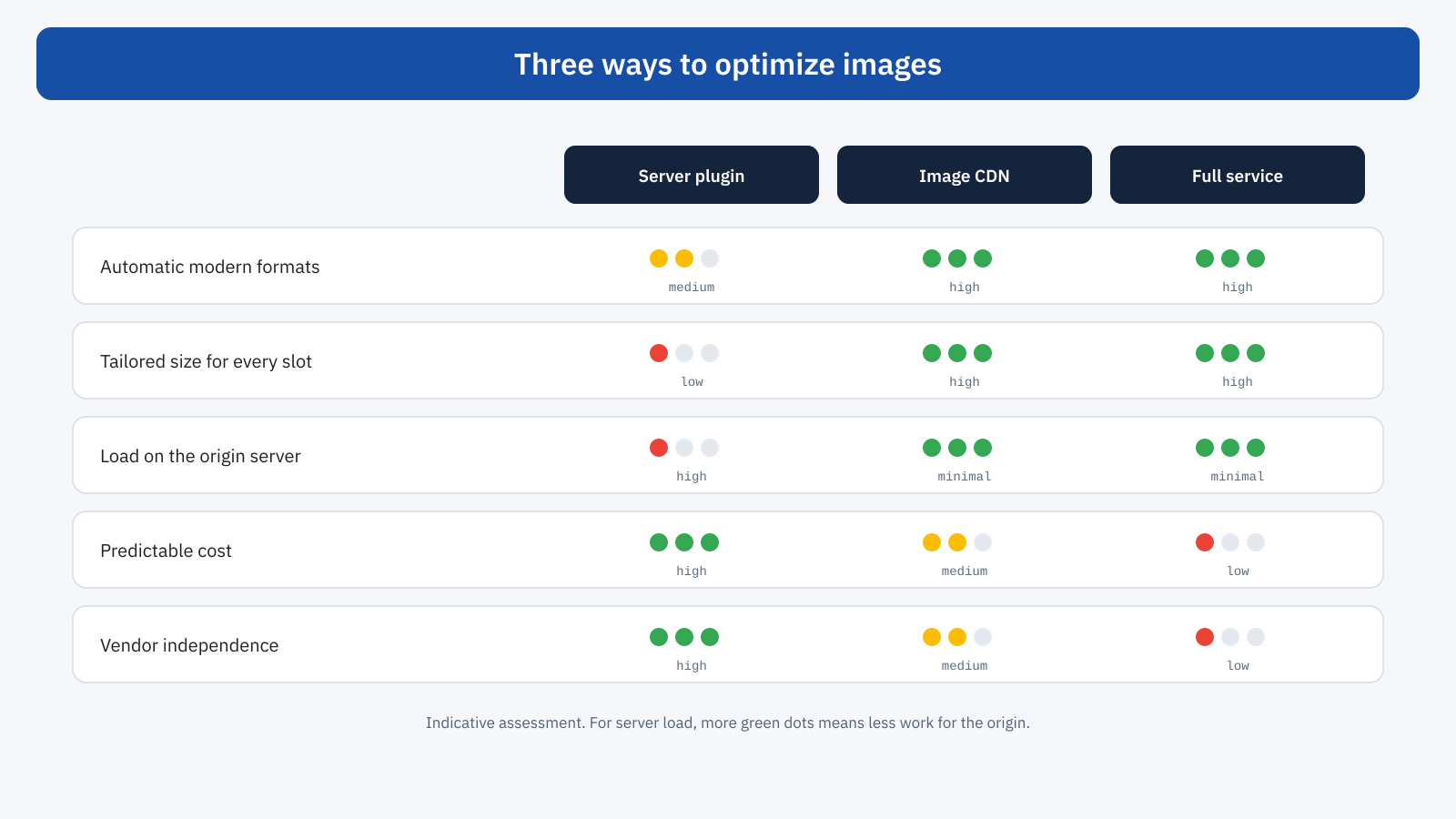
The first is plugins that optimize images on the server: they compress the originals, generate WebP or AVIF variants together with the sizes the theme expects, and serve them with the server’s negotiation rules. They are predictable in cost, do not depend on external services and are enough for most small and medium sites. The limits are disk space, the server’s work when images are uploaded and fixed sizes.
The second is the image transformation features offered by many general-purpose CDNs, which can be enabled on the site’s domain and are often integrated with page caching, as we saw when discussing Cloudflare. The third is complete specialized services, which add file management, smart cropping, advanced transformations and CMS integrations, at a higher cost.
WordPress and image CDNs
In WordPress, integration almost always happens through a plugin from the service, which rewrites image URLs in content and templates and generates the srcset values with the service’s parameters. For those who prefer direct control, core filters let you intervene on the variant URLs:
// Rewrites the srcset variants to point to the transformation service
add_filter(
	'wp_calculate_image_srcset',
	function ( $sources ) {
		foreach ( $sources as $larghezza => $source ) {
			$percorso = wp_parse_url( $source['url'], PHP_URL_PATH );
			$sources[ $larghezza ]['url'] = 'https://img.esempio.it' . $percorso
				. '?w=' . (int) $larghezza . '&f=auto&q=auto';
		}
		return $sources;
	}
);
With an image CDN it is also worth reducing the sizes WordPress generates on upload, which become superfluous, and checking that the core’s automatic features, such as adding fetchpriority="high" to the main image and excluding the first images from lazy loading, keep working after the URLs are rewritten.
Quality and compression
One of the most useful and least considered aspects is quality management. Choosing a single compression level for all the images of a site is always a compromise: a photograph with a lot of detail tolerates less compression than an image with large areas of flat color. The automatic settings of many services analyze each image and pick the most aggressive compression level that produces no perceptible differences, with savings on top of those from the format. It is still worth checking the result on a few representative images, especially product photos, where a loss of detail can affect the perception of quality, and setting a floor for the most important images.
An example
A real estate listings site receives hundreds of photographs every day uploaded by agencies, often straight from cameras, several megabytes each. For every photo the server generates six different sizes in JPEG, taking up tens of gigabytes and slowing down the loading of listings; search pages, with twenty listings and their photos, weigh over four megabytes on mobile. With an image CDN the server keeps only the originals, pages ask for the exact width for every slot with automatic format and quality, and photographs are served from the nearest nodes. Search pages drop below a megabyte, variant generation on the server disappears and the LCP of listing pages improves noticeably. The cost of the service is partly offset by the reduction in the server’s disk space and traffic; the rest is weighed against the increase in contacts generated by the listing pages.
When it pays off
An image CDN is the natural choice for sites with many images and many display formats: online stores with large catalogs, publishing sites with photo archives, real estate portals, sites with user-generated content. It is also useful when the origin server is limited and cannot afford to generate and serve many variants, or when the audience is spread across several continents.
For a corporate site with a few dozen images, a blog or a store with a small catalog, a good optimization plugin on the server, with modern formats and correct responsive sizes, generally achieves very similar results with no recurring costs or external dependencies. The deciding criterion is not the technology, but the ratio between the work the service saves and what it costs.
How to check the result
After activation, a few checks confirm the service is working as expected. In the DevTools Network panel, images should arrive in the modern format for browsers that support it, with sizes close to the display size and long cache headers. The LCP image needs particular attention: it must be discovered immediately, have high priority and not suffer delays from an additional connection. It is also worth looking at the service’s reports on the percentage of requests served from the cache: a low percentage indicates too many different parameter combinations, and therefore frequent transformations, which are slower and more expensive.
In short
An image CDN keeps a single original and produces the needed variants on the fly, in the best format for each browser and the right size for each slot, serving them from a distributed network. The benefits are concrete: exact sizes, automatic modern formats, less server load, fast delivery. The costs are just as concrete: pricing that grows with the site, a slow first transformation, additional connections if the domain is different, dependence on the vendor’s URLs.
For sites with many images and a lot of traffic it is often the most effective solution; for smaller ones, a well-configured plugin on the server offers most of the benefits without recurring costs. In both cases the result must be checked on the real pages, paying particular attention to the image that decides the LCP.
