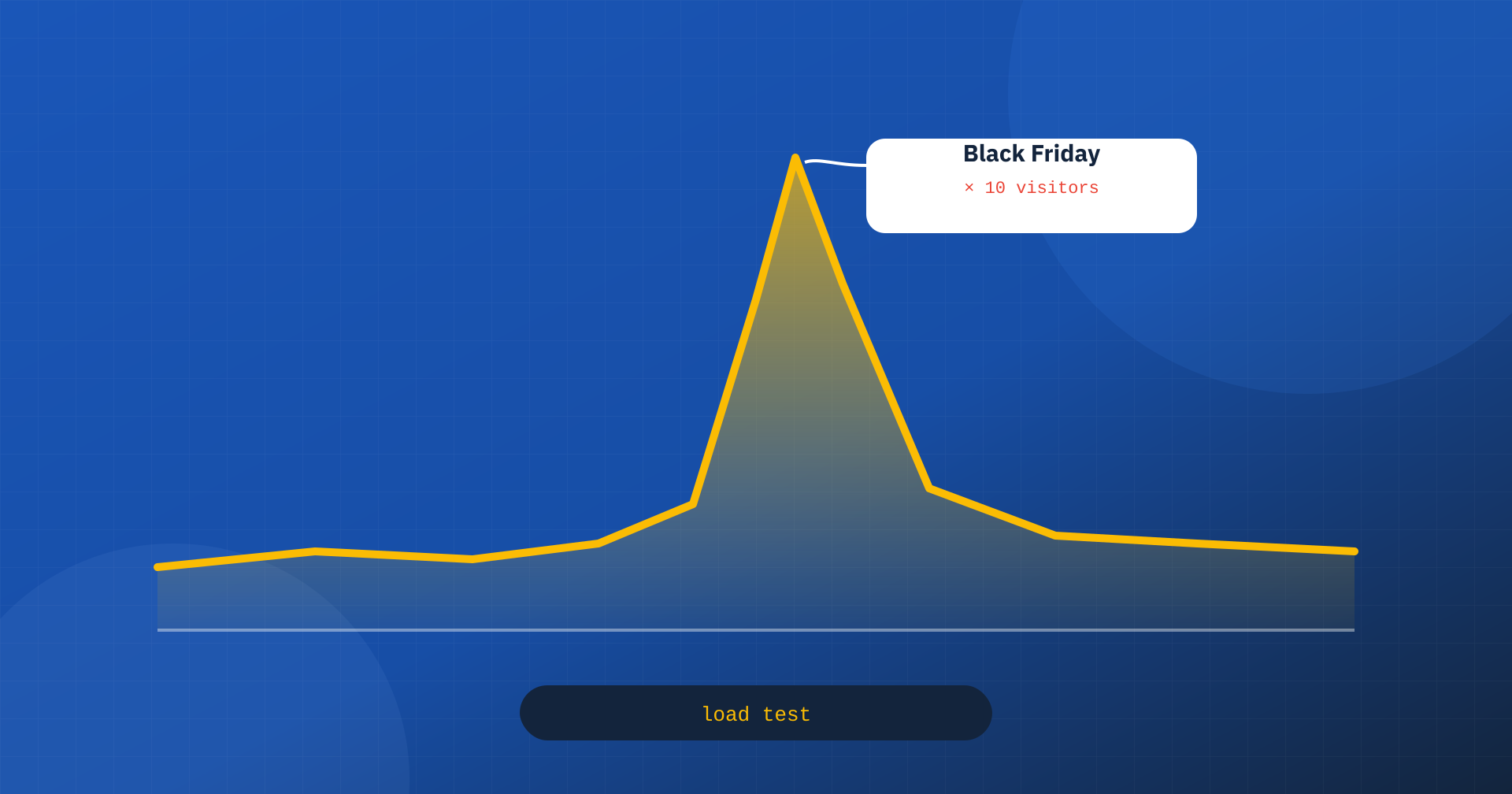
Every site has its decisive days. For an online store they are Black Friday, the sales, the Christmas season. For a company they can be a product launch, a TV appearance, an advertising campaign, a newsletter sent to a hundred thousand subscribers. In those moments, weeks’ worth of traffic arrives in a few hours, and it arrives exactly when every visit is worth the most. It is also the moment when many sites slow down, return errors or stop working altogether.
Performance under load is an aspect of web performance that the usual tests do not measure: PageSpeed Insights and Lighthouse load one page at a time, under quiet conditions. In this article we look at what happens to a site when traffic multiplies, how to estimate how much it can take, how to check it with a load test and how to prepare it for spikes.
What happens when traffic grows
To understand how a site behaves under load you need to tell two kinds of requests apart. Pages served from the page cache, such as the home page, categories and product pages for anonymous visitors, need very few resources: the web server returns a ready-made file, and a modern server can do that thousands of times per second. Dynamic pages, such as cart, checkout, account area, search and AJAX calls, have to be generated by PHP and the database on every request.
Dynamic requests are processed by a limited number of PHP processes, often called PHP workers. Each process handles one request at a time: if a site has eight processes and every dynamic request takes 400 milliseconds, it can process at most about twenty per second. When more arrive, the excess requests wait in a queue. The time spent in the queue adds to the response time, and therefore to the TTFB the user experiences.
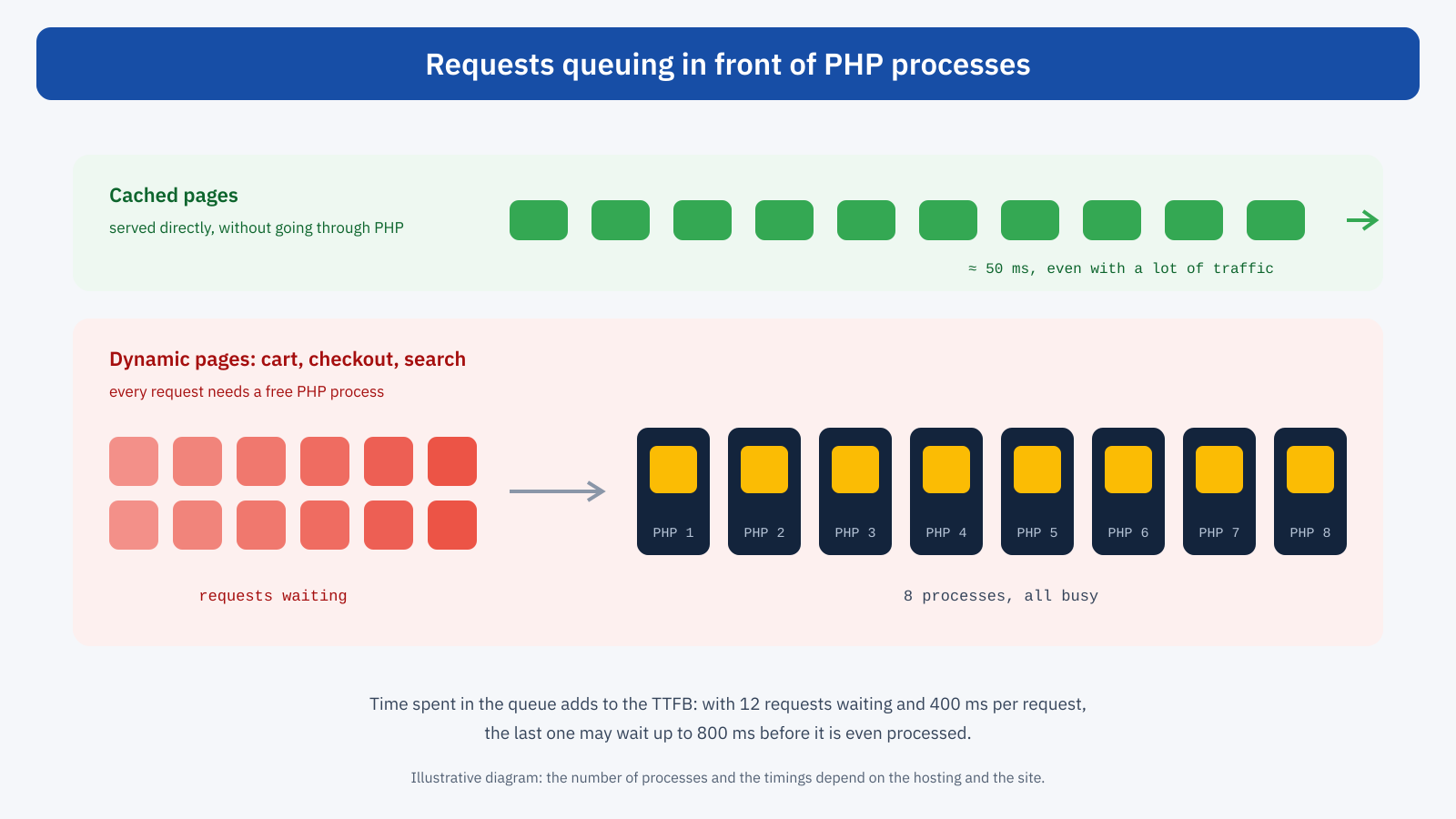
The behavior is strongly non-linear. As long as requests arrive more slowly than the server can process them, times stay stable. As soon as the rate exceeds that, the queue grows every second, times rise quickly and, beyond a certain point, requests time out and the server answers with errors, such as 502 or 504 codes. To make matters worse, slow requests hold the processes for longer and impatient users reload the page, adding more requests to the queue.
For the metrics, the result is a TTFB that explodes right on the pages of the purchase path. In Chrome UX Report field data, averaged over 28 days, a one-day spike barely shows. But the economic effect is concentrated in those hours: abandoned carts, payments not completed, customers going to competitors, as we saw in the article on Core Web Vitals for WooCommerce.
Estimating capacity
A first estimate of a site’s capacity can be made with a simple calculation: the number of PHP processes divided by the average processing time of a dynamic request, in seconds, gives the maximum number of dynamic requests per second. With 8 processes and 0.4 seconds per request, the limit is 20 requests per second. Then you have to estimate how many dynamic requests a user generates: a visit to the cart can produce several, between the page itself, the AJAX calls that update quantities and shipping, the mini cart in the header, and any periodic requests from the chat plugin or the WordPress dashboard.
The calculation is approximate, but it immediately shows the two main levers for increasing capacity: more processes, meaning more resources on the server, or faster requests, meaning more efficient code and database. Halving the processing time of a request is equivalent to doubling the processes, and often costs much less.
The load test
The estimate has to be checked with a load test: a tool that simulates many simultaneous users and measures response times and errors as traffic grows. There are open source tools, such as k6, Locust and JMeter, and services that run tests from distributed servers. A useful test has a few specific characteristics.
- A representative environment. Ideally a copy of the production site, on the same infrastructure, with realistic data. Testing production directly is possible, but it must be done at low-traffic hours and with caution, warning the hosting provider.
- Realistic scenarios. Not just the home page repeated thousands of times, which mostly measures the cache, but typical journeys: browsing categories and products, adding to the cart, search, starting checkout, in the proportions seen in analytics.
- Increasing load. Simulated users grow gradually, to find the point where times stop being stable.
- The right metrics. Response time at the 95th percentile, not just the average, and the error rate, observed together with CPU, memory and database usage on the server.
// k6 scenario: browsing and cart with increasing load
import http from 'k6/http';
import { sleep, check } from 'k6';

export const options = {
	stages: [
		{ duration: '2m', target: 100 },
		{ duration: '4m', target: 300 },
		{ duration: '4m', target: 500 },
	],
	thresholds: {
		http_req_duration: [ 'p(95)<800' ],
		http_req_failed: [ 'rate<0.01' ],
	},
};

export default function () {
	http.get( 'https://staging.esempio.it/categoria/scarpe/' );
	sleep( 2 );
	http.get( 'https://staging.esempio.it/prodotto/scarpa-trail/' );
	sleep( 3 );
	const r = http.post( 'https://staging.esempio.it/?wc-ajax=add_to_cart', { product_id: 128, quantity: 1 } );
	check( r, { 'added to cart': ( res ) => res.status === 200 } );
	http.get( 'https://staging.esempio.it/carrello/' );
	sleep( 4 );
}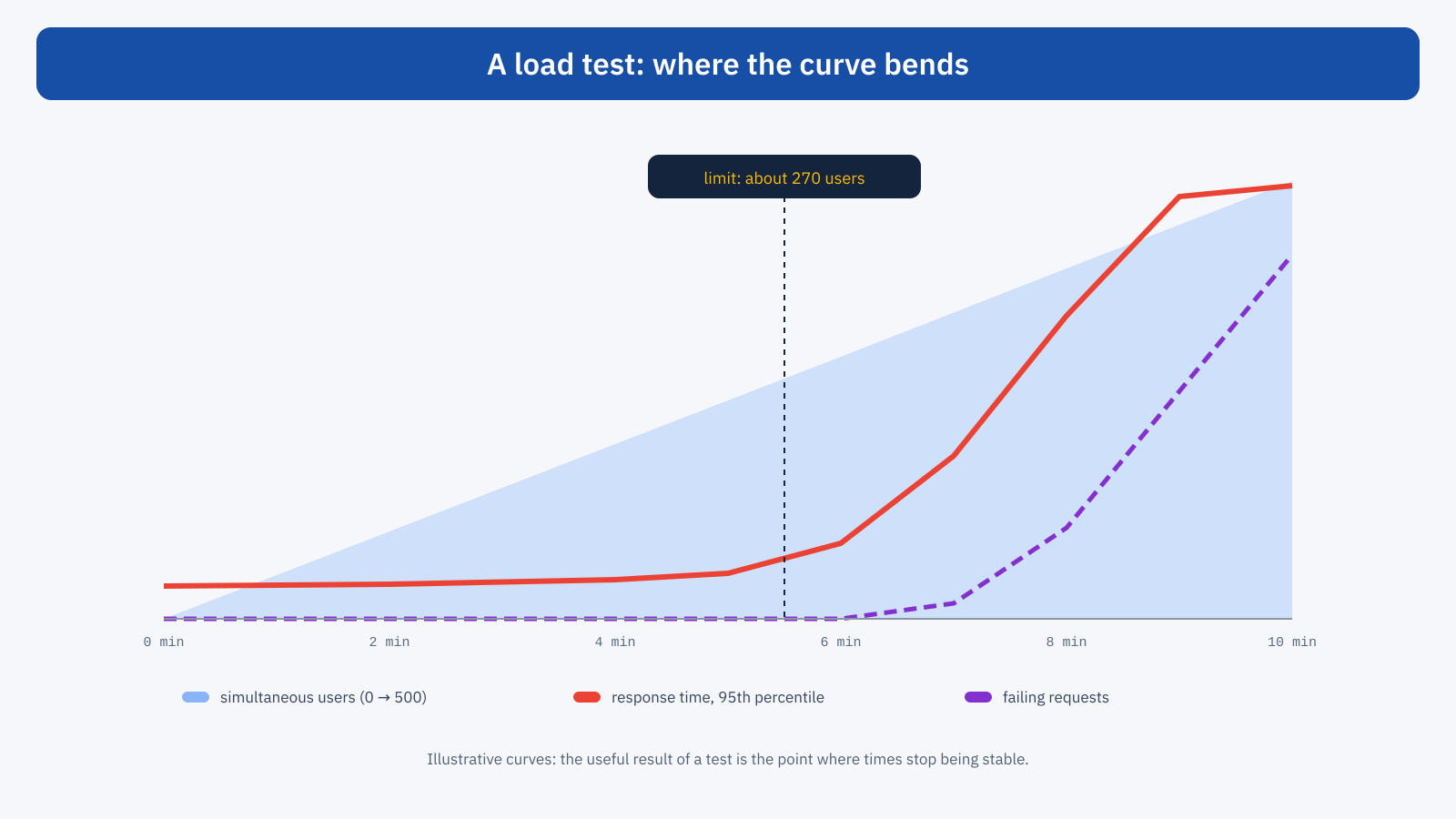
The result to look for is the breaking point: the number of users beyond which times stop being stable. Compared with the traffic expected at the peak, it tells you whether the site is ready and with what headroom. Repeated after each intervention, it measures the effect of the optimizations. It is also worth observing which resource runs out first: PHP processes, CPU, memory, database connections. That is where the work should be concentrated.
Preparing the site: reduce dynamic work
The most effective strategy for withstanding a spike is to make sure most requests never reach PHP. A few measures have an enormous impact.
- Maximize the page cache. Check that every page that can be cached is, even for people with products in the cart when the configuration allows it, and warm the cache before the spike by visiting the main pages, so the first visitors do not find an empty cache.
- Eliminate superfluous requests. AJAX calls that fire on every page, such as cart fragments, the WordPress dashboard heartbeat, counters and widgets that poll the server periodically, multiply the load by the number of visitors. Each one must be justified or removed.
- Make dynamic requests faster. An object cache reduces database queries; an analysis of the slowest queries, missing indexes and heaviest plugins shortens the processing time of every request.
- Move work away from the critical moment. Confirmation emails sent through a queue, heavy scheduled operations such as imports, syncs and report generation suspended during the spike, WordPress cron run by the system instead of by visits.
- Offload static content. Images, stylesheets and scripts served from a CDN do not occupy the origin server.
Preparing the infrastructure
Once the site is optimized, server capacity remains. Many hosts let you temporarily increase resources, PHP processes, CPU and memory, for the duration of the spike: ask well in advance, not on the morning of Black Friday. Cloud infrastructures can scale automatically, but scaling has to be configured and checked with a test, because starting new instances takes time and the database often remains a single point of contention. The comparison between hosting models is in the article on hosting and Core Web Vitals.
For extreme and unpredictable spikes, such as a TV appearance, there is also the virtual waiting room solution: when traffic exceeds capacity, new visitors are put in a queue on a static page and let in gradually. It is not elegant, but it is far better than a site that stops responding for everyone.
An example of preparation
A clothing store expects Black Friday traffic eight times the average, with a newsletter sent at nine in the morning. The load test on the staging environment shows the breaking point at around 150 simultaneous users, against the 600 expected at the peak. The analysis shows that half of the dynamic requests are AJAX calls from the mini cart and from a purchase notification widget, and that cart pages take 900 milliseconds because of a shipping calculation plugin that queries an external service on every load.
The plan is to remove the notification widget, replace the mini cart with a version that does not query the server on every page, store the shipping calculation results for a few minutes, enable the object cache and temporarily double the PHP processes with the host. The new test moves the breaking point beyond 700 users. On Black Friday the cart TTFB stays under 500 milliseconds even at peak hour, and monitoring records no errors.
The day of the spike
A few rules of conduct reduce the risk in the critical hours. No releases, no plugin updates and no configuration changes in the days immediately before and during the spike: every change introduces risk, and the worst time to discover a problem is when the site is under maximum load. Active monitoring, with alerts on response times, errors and resource usage, lets you step in before users notice. And a written emergency plan, with who does what, which features to switch off first and how to contact the host, avoids improvised decisions.
Among the features you should be able to switch off quickly in case of overload are the expensive and non-essential ones: search with real-time suggestions, advanced catalog filters, recommended products calculated on the fly, chat, third-party widgets. Planning in advance how to turn them off, perhaps with a setting in the dashboard, lets you protect the purchase path when needed.
After the spike
The next day is the best time to learn. Server and hosting logs show request peaks, response times and any errors; analytics show where users dropped off; a Real User Monitoring system shows how the metrics behaved hour by hour. Comparing this data with the load test results tells you whether the test was realistic and where to intervene before the next event.
In short
Under load, a site behaves differently from how it looks in the usual tests. Cached pages withstand almost any traffic; dynamic requests queue up in front of a limited number of PHP processes, and beyond a certain point times explode and errors appear, right on the pages of the purchase path and right at the moments when every visit is worth the most.
Preparing means estimating capacity, checking it with a realistic load test, reducing dynamic work with caching, removing superfluous requests and optimizing queries, temporarily increasing resources when needed, and facing the day of the spike with monitoring, no changes and an emergency plan. It is work done weeks beforehand, and it pays off in a few hours.
