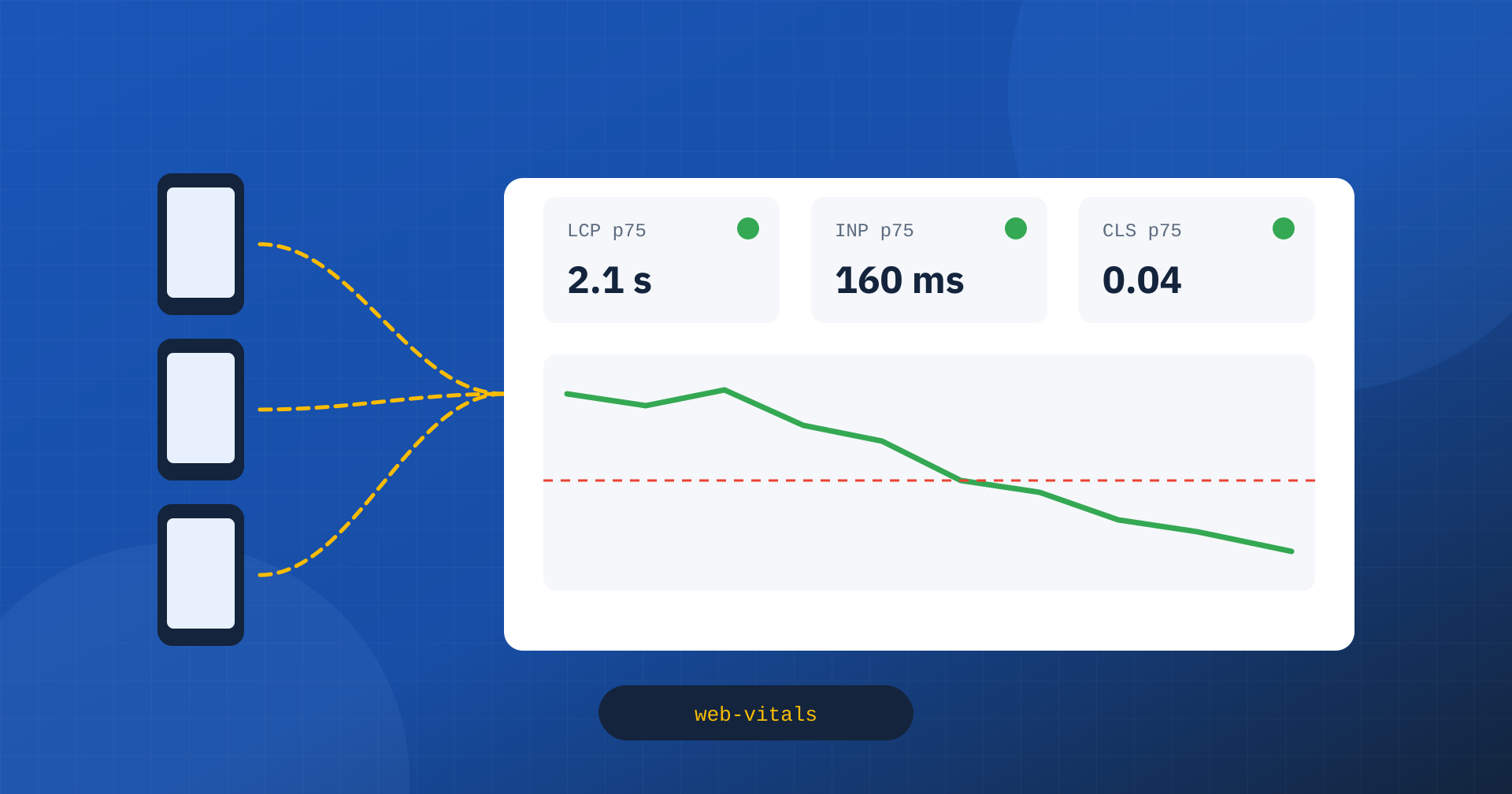
The Core Web Vitals that matter, the ones Google uses and that describe a site’s real experience, come from the Chrome UX Report: data collected from the Chrome browsers of users who have agreed to share it. It is valuable data, but it has clear limits. It arrives with a delay, over a 28-day window; it covers only pages with enough traffic; it says nothing about which page template, which type of user or which element causes a problem. For this reason, sooner or later, anyone serious about performance faces a question: how do I measure Core Web Vitals directly on my own users?
The answer is called Real User Monitoring, or RUM: collect metrics from the browsers of real visitors, send them to an analysis system and study them as you study the site’s other data. In this article we look at what it offers compared with CrUX, how to implement it with Google’s official library, what to collect besides the numbers and how to read the results.
What RUM adds to the Chrome UX Report
CrUX is the official reference, and it is good to keep using it to know how Google sees the site, as explained in the article on why you need both CrUX and lab data. RUM does not replace it, but it fills four important gaps.
- Timeliness. CrUX data is updated over a rolling 28-day window: the effect of an intervention is fully visible only after a month. With RUM you see it the next day, and a regression caused by an update shows up within hours.
- Segmentation. CrUX provides data per page or per origin, split by device type. RUM lets you split the data by page template, category, country, connection type, anonymous or logged-in users, A/B test variant: any information available at the moment of measurement.
- Coverage. Pages with little traffic do not appear in CrUX. With RUM even a niche product page has its data, and above all you can aggregate similar pages even when none of them has enough visits on its own.
- Attribution. CrUX tells you INP is poor; RUM can tell you on which element the slow interaction happens, which phase weighs most and which script is responsible. It is the difference between knowing you have a problem and knowing where to intervene.
The web-vitals library
Measuring Core Web Vitals correctly in the browser is not trivial. CLS has to be calculated over session windows, INP requires observing all interactions and choosing the representative one, LCP stops at the user’s first interaction, and all of them have to be handled correctly when the page is hidden, restored from the back/forward cache or activated by a prerender. To avoid reimplementing these rules, Google maintains a small open source library, web-vitals, which applies them exactly as Chrome does for CrUX.
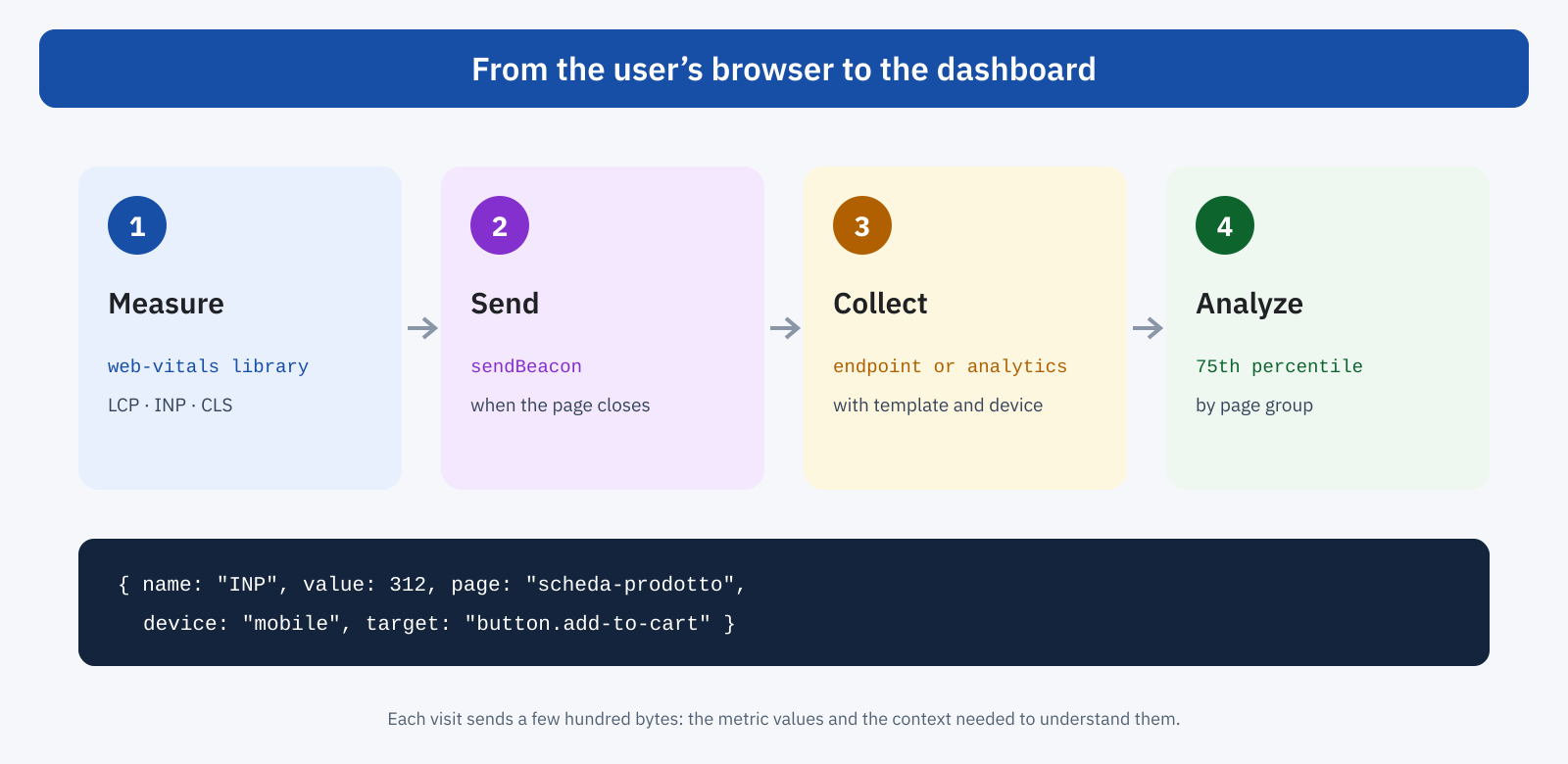
Basic use takes a few lines. For each metric you register a function that receives the value when it is available, and send it to the server with navigator.sendBeacon, which also works when the page is closing:
import { onLCP, onINP, onCLS } from 'web-vitals/attribution';

function invia( metrica ) {
	const dati = JSON.stringify( {
		nome: metrica.name,
		valore: metrica.value,
		stato: metrica.rating,          // good, needs-improvement, poor
		id: metrica.id,                 // unique per page view
		navigazione: metrica.navigationType,
		modello: document.body.dataset.modello, // e.g. "scheda-prodotto"
		pagina: location.pathname,
	} );
	navigator.sendBeacon( '/rum', dati );
}

onLCP( invia );
onINP( invia );
onCLS( invia );
Some details are important. CLS and INP can change throughout the life of the page, so the library reports them when the page is hidden; some visits, for example when the browser is closed abruptly, will never send data, and that is normal. The same metric can be reported more than once for the same page, for example after a restore from the bfcache: the id field lets you tell the measurements apart and keep only the last one for each page view.
Attribution: knowing why
The attribution build of the library, the one imported in the example, adds diagnostic information to each metric. For LCP it gives the element, the resource URL and the breakdown of time into four phases: TTFB, delay before the download starts, download duration and render delay. For INP it gives the element on which the interaction happened, the event type and the split between initial delay, processing and paint, along with the scripts involved as detected by the Long Animation Frames API. For CLS it gives the element that shifted the most and the moment of the shift.
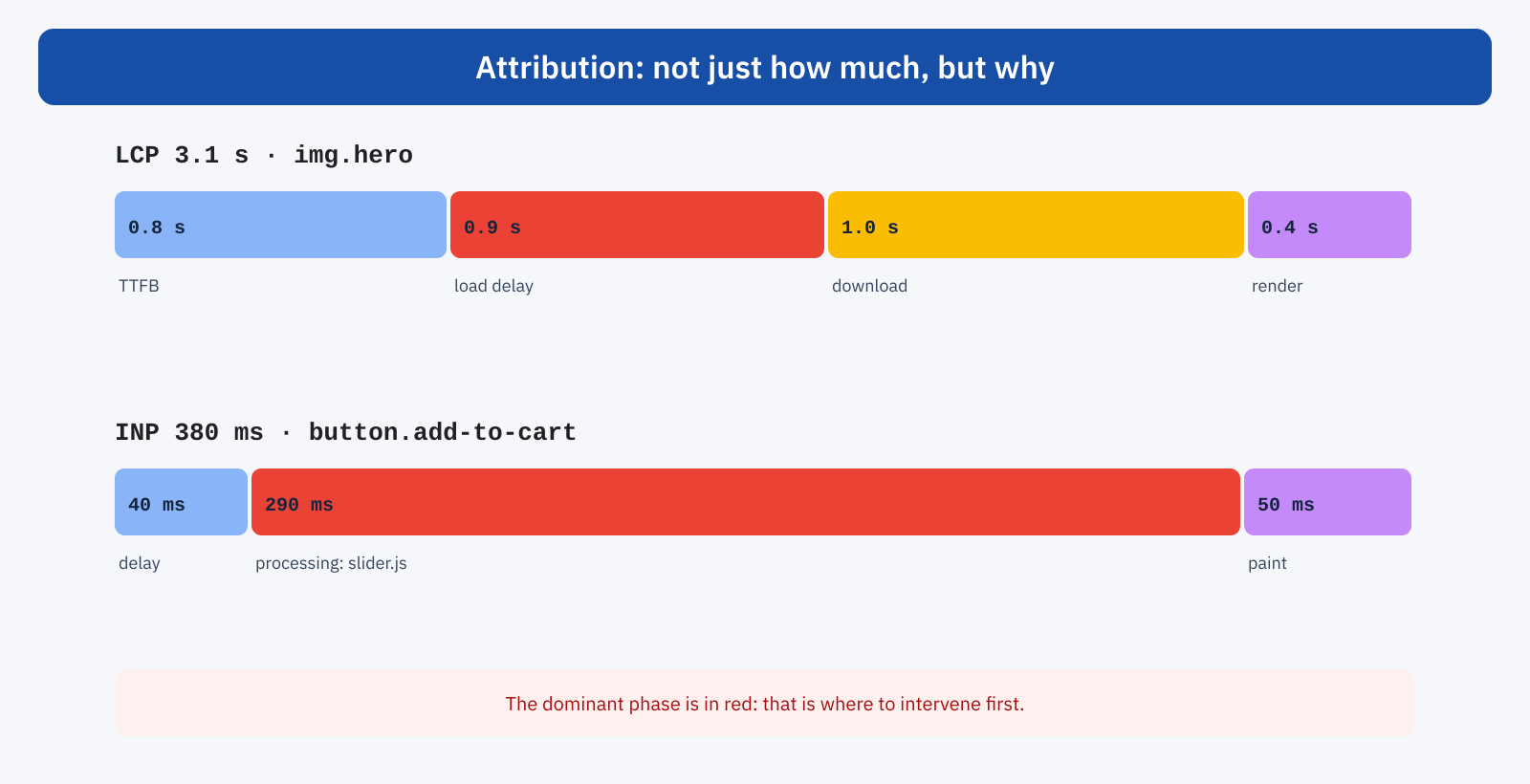
This information turns RUM from a thermometer into a diagnostic tool. If on product pages the dominant LCP phase is the delay before download, the problem is late discovery of the image, and the solution concerns priority and lazy loading; if it is TTFB, the problem is the server. If the worst INP always happens on the same button and processing is dominated by one script, you know exactly where to start. It is best to send only the essential information, such as a synthetic selector for the element and the script name, to keep the data light and free of personal information.
Where to send the data
There are three main routes. The first is a specialized RUM service: several vendors offer collection, storage and ready-made dashboards, with segmentation and attribution already organized. It is the fastest solution, at a cost that grows with traffic. The second is to send the metrics as events to an analytics system already in use, for example Google Analytics 4, and analyze them with raw data exports: you use existing infrastructure, but you need analysis skills. The third is your own endpoint, which writes the data to a database or a logging system: maximum control, but all the storage and visualization work is up to the site.
Whichever you choose, consider sampling. On a high-traffic site there is no need to measure every visit: a fixed percentage, for example ten percent of page views, already gives statistically solid results and reduces costs and data volume. Sampling should be decided per page view, not per individual metric, to keep the data of a single visit consistent.
RUM on WordPress
On a WordPress site the most useful information to add to the metrics is the page template: post, page, archive, product, cart. The theme already knows it, and can expose it with an attribute on the body element, which the measurement script reads at send time. For collection, a REST API route or an external service are both workable; the important thing is that the endpoint is light and does not go through the full generation of a page.
// Exposes the page template to the measurement script
add_filter(
	'body_class',
	function ( $classi ) {
		$modello = is_singular() ? get_post_type() : ( is_archive() ? 'archivio' : 'altro' );
		$classi[] = 'modello-' . sanitize_html_class( $modello );
		return $classi;
	}
);
The measurement script should be loaded in a non-blocking way, as a module or with defer: the library weighs a few kilobytes and must not itself become a cost for the performance it measures.
Beyond Core Web Vitals
Once collection is set up, it is natural to extend it. The same library also measures TTFB and First Contentful Paint, useful for separating server problems from front-end ones. But RUM also lets you measure what matters for the individual site: the time to show internal search results, to open the mini cart, to complete a checkout step. With the User Timing API, a couple of markers in the code are enough to turn an interaction that matters to the business into a metric to follow over time, alongside the standard ones.
Privacy and consent
Performance metrics are technical data, but they are collected from users’ devices and sent together with information such as the page visited. It is good practice not to collect anything that identifies the person, to avoid persistent identifiers, not to send URLs with parameters that may contain personal data, and to assess with your own advisor the legal basis for collection and the relationship with the cookie banner. A minimal, anonymous collection limited to performance is generally simpler to manage than full tracking, but the assessment must be made case by case.
How to read the data
The first mistake to avoid is looking at the average. Core Web Vitals are assessed at the 75th percentile, and load time distributions are skewed: a few very high values shift the average without saying much about the typical experience. The 75th percentile, calculated separately for mobile and desktop, is the measure to compare with Google’s thresholds and with CrUX data.
The second is comparing different populations. RUM data often includes browsers other than Chrome, where some metrics are unavailable or measured differently, visits with a warm cache and visits from users CrUX does not include. It is normal for the values not to match those of Search Console; what matters is the consistency of trends and the ability to explain the differences. For a direct comparison it is best to filter RUM data to Chromium browsers only.
The third is reading the data without segmenting it. The overall value for the site says little; the same value split by page template and device says almost everything. A useful dashboard shows, for each important page template, the 75th percentile of the three metrics over time, the share of visits in the good range and, for metrics beyond the threshold, the most frequent elements and phases in the attribution.
Finally, besides the percentile it is worth looking at the distribution. A histogram of LCP or INP values shows whether the problem affects all users uniformly, or a specific group: a second hump in the upper part of the distribution often points to a specific segment, such as a slow connection, a country far from the server, a smartphone model or a page with a particular widget. Finding that group is often the shortest route to improving the 75th percentile of the whole site.
A use case: checking a release
The value of RUM emerges clearly at release time. A theme update, a new plugin or a campaign with a new pixel can worsen performance without anyone noticing in manual tests. With CrUX the problem would surface weeks later, diluted in the 28-day window; with RUM, a comparison of the 75th percentile between the day before and the day after the release shows it right away, and attribution often points directly to the responsible script or element. In the same way, an optimization can be verified in a few days instead of a month.
In short
Real User Monitoring measures Core Web Vitals on the site’s real visitors and fills the limits of the Chrome UX Report: immediate data instead of a 28-day window, segmentation by page template and user type, coverage of low-traffic pages and, above all, attribution of causes. The web-vitals library applies the same rules as Chrome and, in the attribution build, points to the responsible elements, phases and scripts.
Implementing it takes a few lines of code, a destination for the data and some care over sampling, privacy and reading the results: 75th percentile, segmentation, comparison with CrUX on the same populations. CrUX remains the reference for knowing how Google rates the site; RUM is the tool for understanding why, and for noticing in time when something changes.
