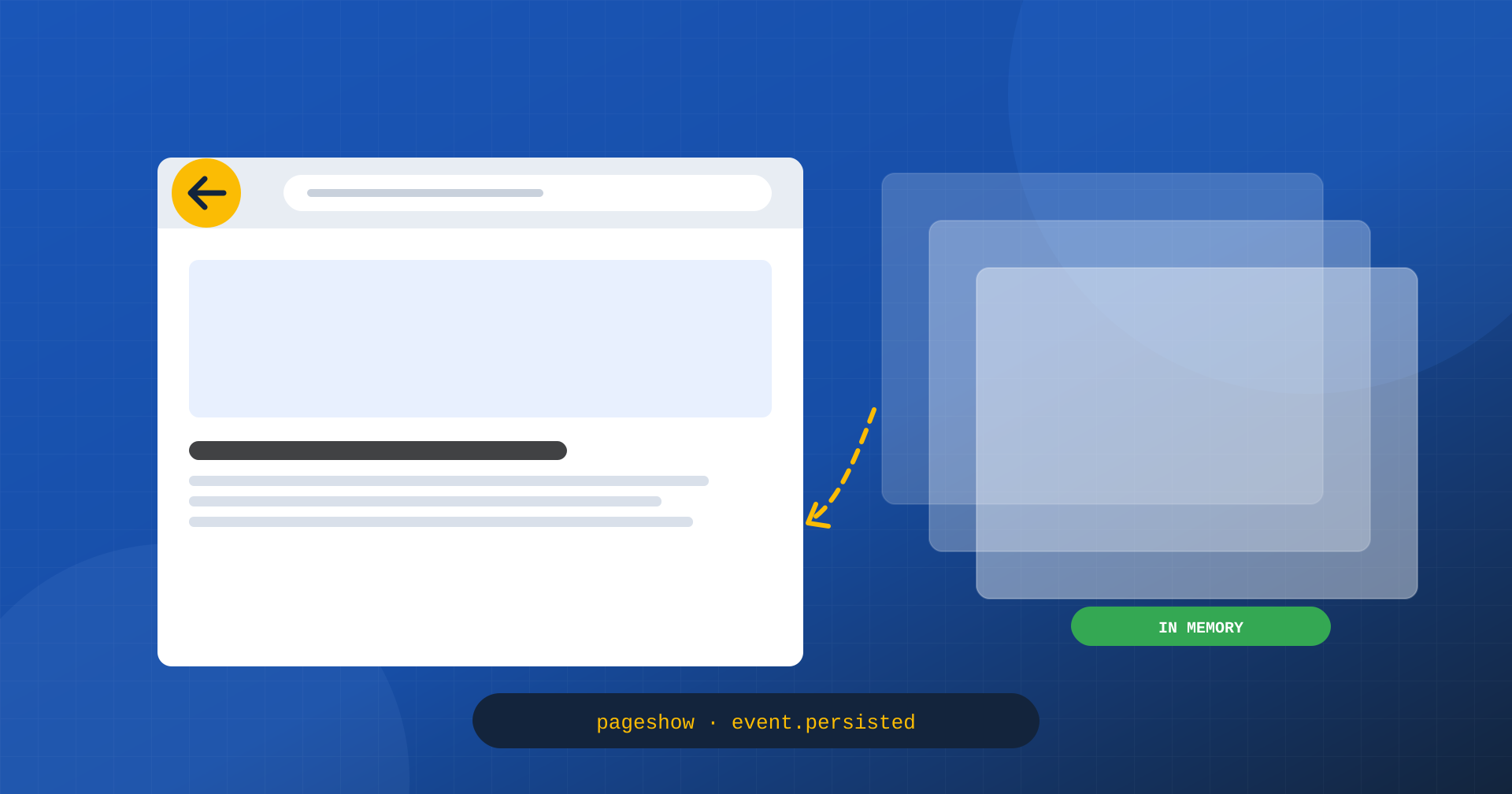
There is a gesture users make all the time that almost nobody optimizes: the Back button. You open a product page from the list, you go back to the list; you read an article, you go back to the home page; you check a shipping page, you go back to the cart. On mobile, where the sideways swipe or the system button makes going back even more natural, a substantial share of navigations is of this kind.
All modern browsers have a mechanism to make this gesture instant: the back/forward cache, often shortened to bfcache. When it works, the previous page reappears in a few milliseconds, exactly as it was, with the same scroll position and the same data in forms. When it doesn’t work, the browser reloads everything from scratch. And on many sites it doesn’t work, for reasons that often nobody has ever checked.
What the back/forward cache is
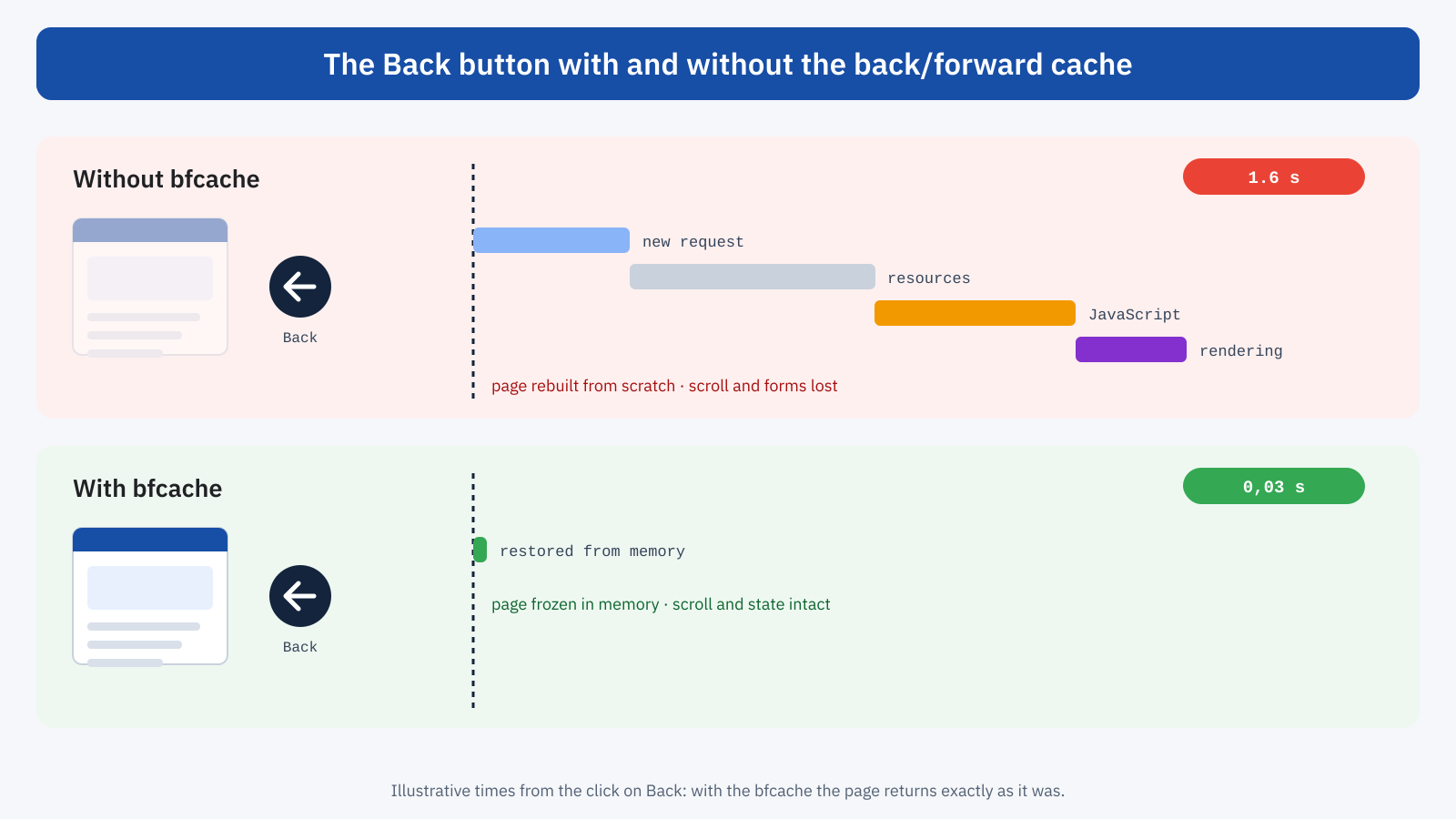
The bfcache is not an HTTP cache and has nothing to do with the server’s page cache. It is a browser memory where the whole page just left is kept in its live state: the DOM, the JavaScript state, the scroll position, the form values. When the user leaves, the page isn’t destroyed but frozen: timers stop, scripts stop running, but everything stays in memory. If the user goes back soon enough, the page is unfrozen and shown immediately, with no request to the server and without running the code again.
The difference from the HTTP cache is substantial. Even with all resources cached, a normal navigation has to rebuild the page: read the HTML, apply the stylesheets, run the scripts, paint. With the bfcache this work has already been done and the result is simply put back on the screen.
Why it matters for Core Web Vitals and for business
Back and forward navigations are not a marginal case: according to data published by the Chrome team, they account for roughly one navigation in ten on desktop and about one in five on mobile. The Chrome UX Report counts them as visits for all intents and purposes, and distinguishes navigation types, including the share of back/forward navigations served from the bfcache.
A page restored from the bfcache has a virtually null LCP, because the content is already visible in the first frame, and produces no layout shifts tied to loading. If a page is excluded, every return is a full load, with everything that implies for LCP, CLS and INP. Making a page bfcache-compatible therefore means improving field data on a significant slice of visits without touching servers, images or scripts: the loading is eliminated altogether.
In terms of experience the effect is even more evident. Think of a user scrolling a long list of products, opening a product page and going back: with the bfcache they find themselves exactly where they were, with the filters applied; without it, they often start again from the top of the page, have to find their place again and, if the filters were handled by JavaScript, set them again. It’s a friction users can’t name but clearly feel, and it translates into shorter sessions and fewer products viewed.
Why a page gets excluded
The browser keeps a page in the bfcache only if it is sure it can freeze and unfreeze it without unwanted effects. Some features of the page, or of the server’s responses, prevent it. The most frequent causes are few, and almost always unintentional.
Cache-Control: no-store
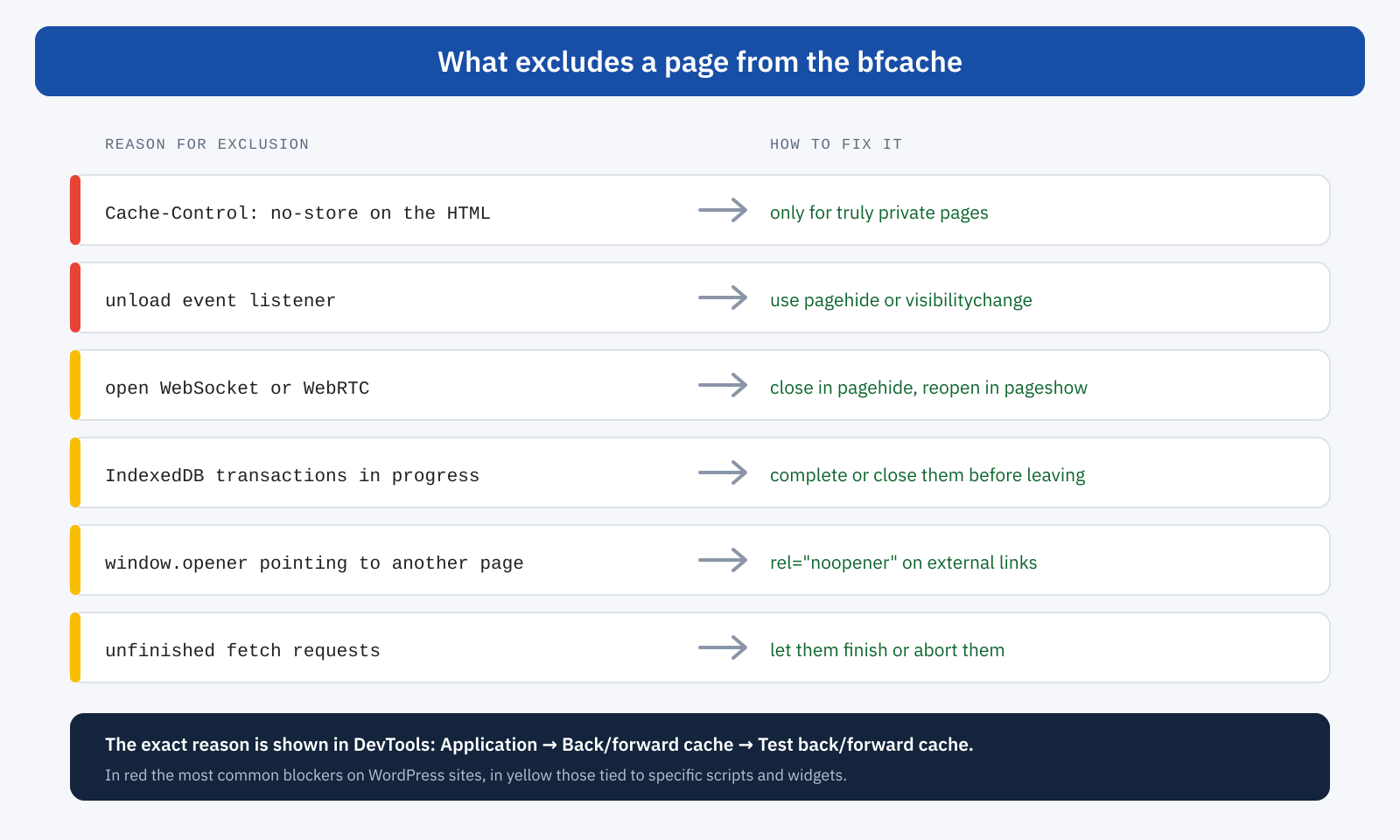
The Cache-Control: no-store header on the HTML document tells the browser that the page must not be kept in any way. That’s why browsers have historically excluded from the bfcache pages that send it. It makes sense for truly sensitive content, such as a bank account area, but it’s common to find it on public pages as a result of plugins, server configurations or rules copied from other projects. Chrome is progressively introducing the possibility of using the bfcache even with no-store under safe conditions, for example when cookies haven’t changed, but it’s unwise to count on it: the header should be used only where needed.
The case of no-cache should be kept separate: it only asks to revalidate the resource before reusing it from the HTTP cache and doesn’t prevent the bfcache. Anyone who wants to avoid a page being served from the browser cache without checking, but has no confidentiality needs, should use no-cache or a short lifetime with revalidation, as we saw when talking about HTTP 304 Not Modified.
The unload event
The unload event is fired when the page is destroyed. With the bfcache the page isn’t destroyed, so the browser can’t guarantee that the associated code will run: so as not to break that code, many browsers directly exclude pages that use it. Chrome has started to phase the event out gradually, but many analytics scripts, widgets and outdated plugins still use it. The correct replacement is the pagehide event, or visibilitychange for sending data when the page is hidden, which work both with and without the bfcache.
// Avoid: excludes the page from the bfcache
window.addEventListener( 'unload', inviaStatistiche );

// Correct: also works when the page is frozen
document.addEventListener( 'visibilitychange', () => {
	if ( document.visibilityState === 'hidden' ) {
		inviaStatistiche();
	}
} );
The beforeunload event should also be used sparingly: it makes sense for warning the user that they are about to lose an unsaved form, and in that case it’s better to add it only when the form has been modified and remove it after saving, instead of keeping it always active.
Open connections and other cases
A page with an open WebSocket or WebRTC connection, typical of live chats and some support widgets, can’t be frozen without interrupting the connection, and browsers tend to exclude it. The same goes for IndexedDB transactions in progress and, in some browsers, for unfinished network requests. A page opened by another one with an active window.opener reference can also be excluded: links to other windows should use rel="noopener", which modern browsers already apply by default to links with target="_blank".
The solution for connections is to close them when the page is hidden and reopen them when it becomes visible again, using the pagehide and pageshow events. Many chat and widget vendors have updated their scripts accordingly; for the others, loading deferred until the first click, as described in the article on third-party scripts, avoids the problem for all visits where the widget isn’t used.
How to check whether a page is compatible
The quickest check is done with Chrome DevTools: in the Application panel, the Back/forward cache section has a button that navigates away and comes back, and reports whether the page was restored from the bfcache or the exact list of reasons why it wasn’t. It’s the first test to run on every important page template: home, category, product page, article, search page.
Lighthouse also includes a dedicated check, which flags pages that can’t use the bfcache and the reasons why. To learn about the situation among real users there is instead the notRestoredReasons API, available in Chrome, which exposes in the navigation entry of the Performance API the reasons why a back navigation wasn’t served from the bfcache, including those caused by third-party iframes:
const nav = performance.getEntriesByType( 'navigation' )[ 0 ];

if ( nav.type === 'back_forward' && nav.notRestoredReasons ) {
	// Example: [ { reason: 'unload-listener' }, ... ]
	inviaDiagnostica( nav.notRestoredReasons );
}
Collected for a few days in a monitoring system, this data shows which reasons really weigh on traffic, and therefore where to start. Finally, in Chrome UX Report data, the share of navigations served from the bfcache out of all returns is a simple indicator for tracking progress over time.
Handling restoration correctly
Making a page bfcache-compatible also means accepting that it can become visible again without being reloaded. In most cases that is exactly what you want, but some content needs updating: the cart counter after adding a product on another page, the login state after signing in, availability and prices that change quickly. The pageshow event, with its persisted property, lets you recognize a restoration and update only what is needed:
window.addEventListener( 'pageshow', ( event ) => {
	if ( event.persisted ) {
		// The page comes from the bfcache: update volatile data
		aggiornaContatoreCarrello();
		inviaVisualizzazione();
	}
} );
The same event is the right place for analytics. A restoration from the bfcache is a page view for all intents and purposes, but since scripts aren’t run again, a system that records visits only on load doesn’t see it. The main analytics platforms already handle this case; custom code should be checked.
For pages with truly sensitive data, on the other hand, exclusion is the right choice. A private area showing personal information shouldn’t reappear with the Back button after logout, and for these pages Cache-Control: no-store remains the appropriate tool. The rule is simple: knowingly exclude what is private, make everything else compatible.
The WordPress case
On WordPress sites, public pages are generally bfcache-compatible, but some recurring situations exclude them. Security or caching plugins configured to send no-store on all pages; cookie consent, statistics or popup plugins that still use the unload event; chat widgets with always-open connections; shops that send restrictive headers on all pages instead of only on cart, checkout and customer area. For logged-in users WordPress sends no-caching headers, and it’s normal for the admin area to be excluded.
Checking is quick: you inspect the HTML response headers of public pages, run the DevTools test on the main templates and identify the script responsible for each reported reason. Often the fix is a plugin setting, an update or the replacement of an obsolete script.
Bfcache and Speculation Rules: the two halves of navigation
In the previous article we saw how Speculation Rules make navigation to new pages instant, by loading them before the click. The bfcache does the same for pages already visited. Together they cover most of a site’s internal navigation: forward with prerender, back with the browser’s memory. And they share the same discipline: code must not assume that a page is loaded only once and seen immediately, but react to the prerenderingchange and pageshow events.
In summary
The back/forward cache makes going back to already visited pages instant, by keeping them in memory in their complete state. It concerns an important share of navigations, especially on mobile, and brings loading time to zero for those visits, with direct effects on field-measured Core Web Vitals and on the experience of people moving between lists and detail pages.
The work consists mostly of removing obstacles: no-store where it isn’t needed, unload listeners, connections left open. You check with DevTools and Lighthouse, measure on real users with notRestoredReasons, and handle restoration with the pageshow event to update volatile data and analytics. It’s one of the interventions with the best ratio of effort to result: it doesn’t make anything lighter, it simply avoids redoing work that has already been done.
