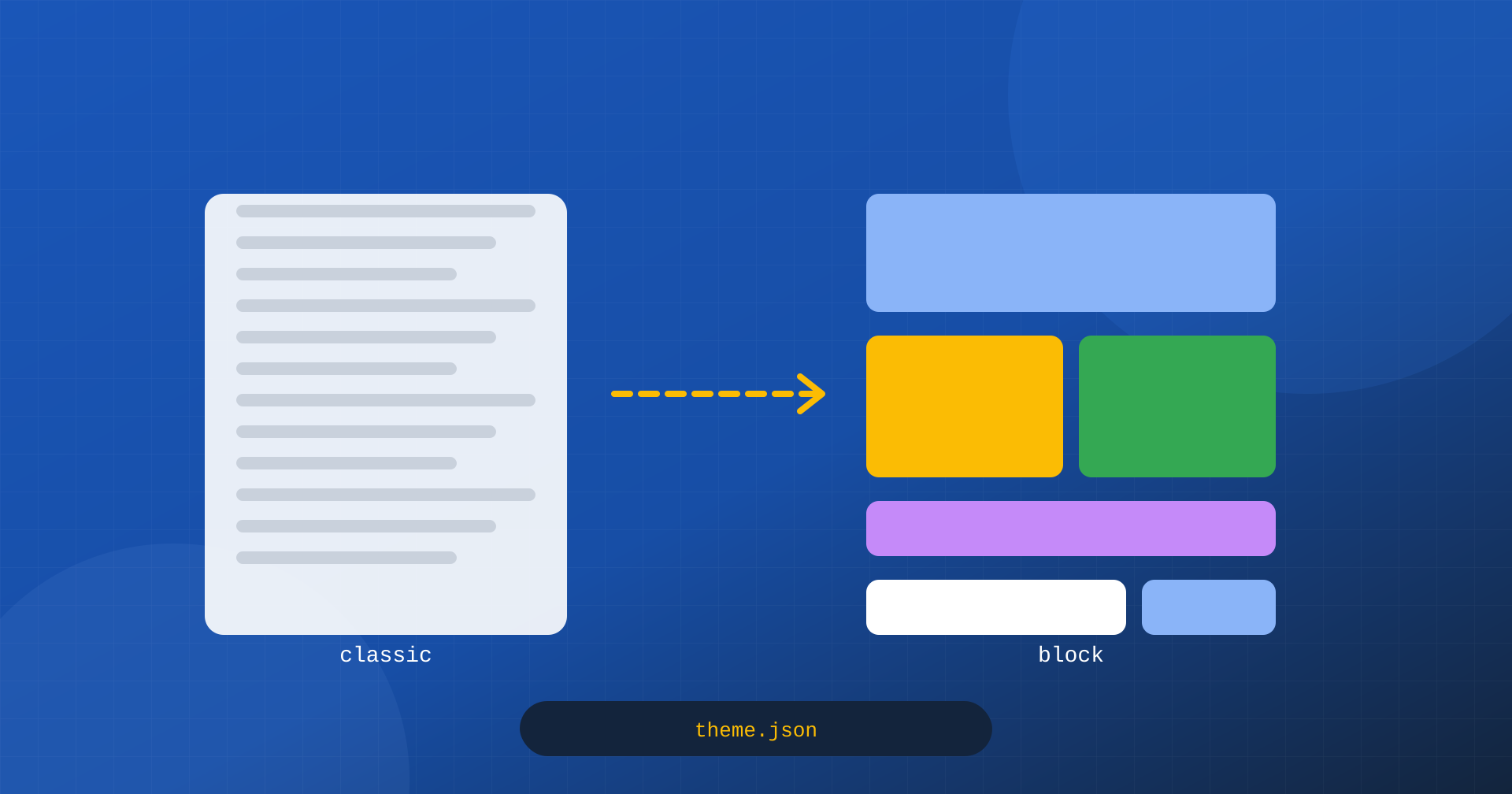
Since 2022, with WordPress 5.9, there have been two very different ways to build a theme. Classic themes, the kind WordPress has used for twenty years, are sets of PHP files, such as header.php, single.php and footer.php, accompanied by stylesheets and scripts. Block themes instead describe the whole structure of the site, including header, footer and page templates, with the same blocks used in content, in HTML files, and configure colors, fonts and spacing in a theme.json file. This is the model the Site Editor is based on, and the one WordPress is concentrating its development on.
The choice between the two models is usually discussed in terms of flexibility, editors’ autonomy and plugin compatibility. But it also has concrete consequences for performance: on how much CSS and JavaScript reaches the browser, on how it is loaded, on how big the page is. In this article we look at what really changes, where block themes have a structural advantage, where instead they can weigh things down, and how to evaluate a theme regardless of the model.
How block styles are loaded
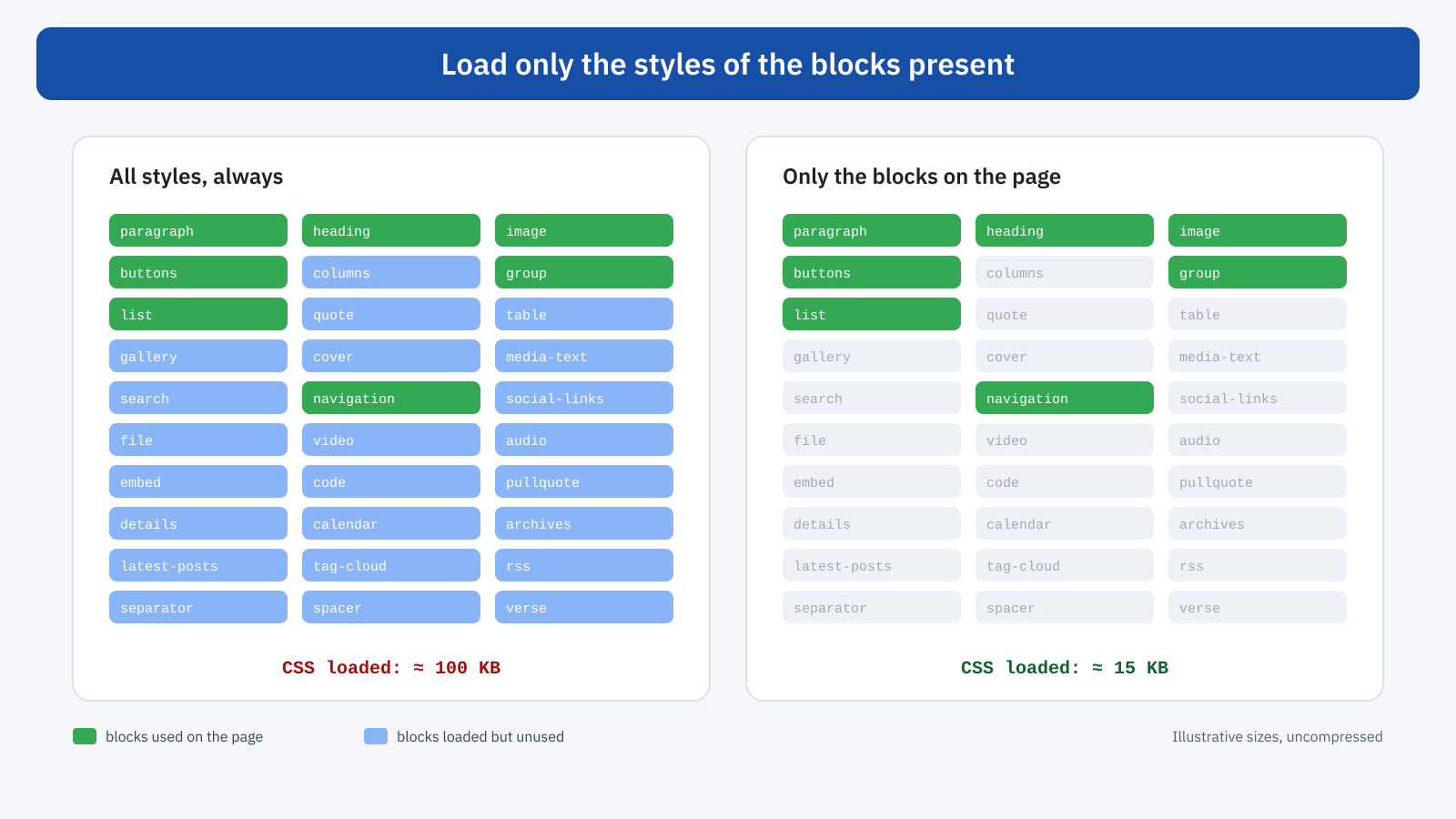
The most important difference concerns block CSS. WordPress includes dozens of blocks, from the paragraph to the gallery, from the table to the calendar, each with its own styles. For a long time all these styles were loaded in a single stylesheet, wp-block-library, on every page, regardless of the blocks actually used: a page with only paragraphs and headings also downloaded the styles for galleries, tables and audio players.
Since version 5.8, WordPress can load the styles of each block separately, and only for the blocks present on the page. In block themes this behavior is on by default, because WordPress knows in advance all the blocks that make up the page, including those in the templates. The styles of the smallest blocks are also inlined directly in the HTML, up to a total size threshold, avoiding extra requests.
Classic themes can also enable separate loading with the should_load_separate_core_block_assets filter, but with a limit: because the header and footer are generated by PHP, WordPress discovers the blocks only as it meets them, and some styles can end up at the bottom of the document. For this reason the option is off by default in classic themes and should be enabled with care, checking that no layout shifts appear.
// In a classic theme: load only the styles of the blocks in use
add_filter( 'should_load_separate_core_block_assets', '__return_true' );

// Threshold for inlining small styles in the HTML (bytes)
add_filter(
	'styles_inline_size_limit',
	function () {
		return 30000;
	}
);
theme.json and global styles
In block themes, colors, fonts, text sizes, spacing and the styles of individual blocks are defined in theme.json. WordPress turns them into a global stylesheet, generated automatically and inserted in the page, which defines a set of CSS custom properties and the rules that apply them. It is a tidy approach: values are centralized, the generated CSS is consistent, and the editor can change them from the Site Editor without touching the code.
It does have a cost to keep an eye on, though. Every palette color, every text size, every gradient and every default spacing generates custom properties and utility classes, and the global stylesheet can grow to several tens of kilobytes, inserted in every page. Themes that define very large palettes, or that keep WordPress’s default palettes active in addition to their own, produce disproportionate global CSS. The solution is simple: turn off the default presets you do not use and limit your own to those that are really needed.
{
	"version": 3,
	"settings": {
		"color": {
			"defaultPalette": false,
			"defaultGradients": false,
			"defaultDuotone": false
		},
		"typography": {
			"defaultFontSizes": false,
			"fluid": true
		},
		"spacing": {
			"defaultSpacingSizes": false
		}
	}
}
Fluid typography, which can be enabled in theme.json, is an indirect advantage: text sizes adapt to the screen width with the CSS clamp() function, eliminating many device-specific rules. Fonts too can be declared in theme.json and hosted in the theme, with the @font-face rules generated automatically: a good base for the work of font subsetting and optimization.
JavaScript: less than you might think
A well-built block theme loads very little JavaScript on the front end. Templates are generated on the server, core blocks produce HTML and CSS, and JavaScript arrives only for the blocks that need it, such as navigation with the mobile menu or search. Since version 6.5, the core’s interactive blocks use the Interactivity API, a small system based on native JavaScript modules that is loaded only when the page contains at least one block that requires it.
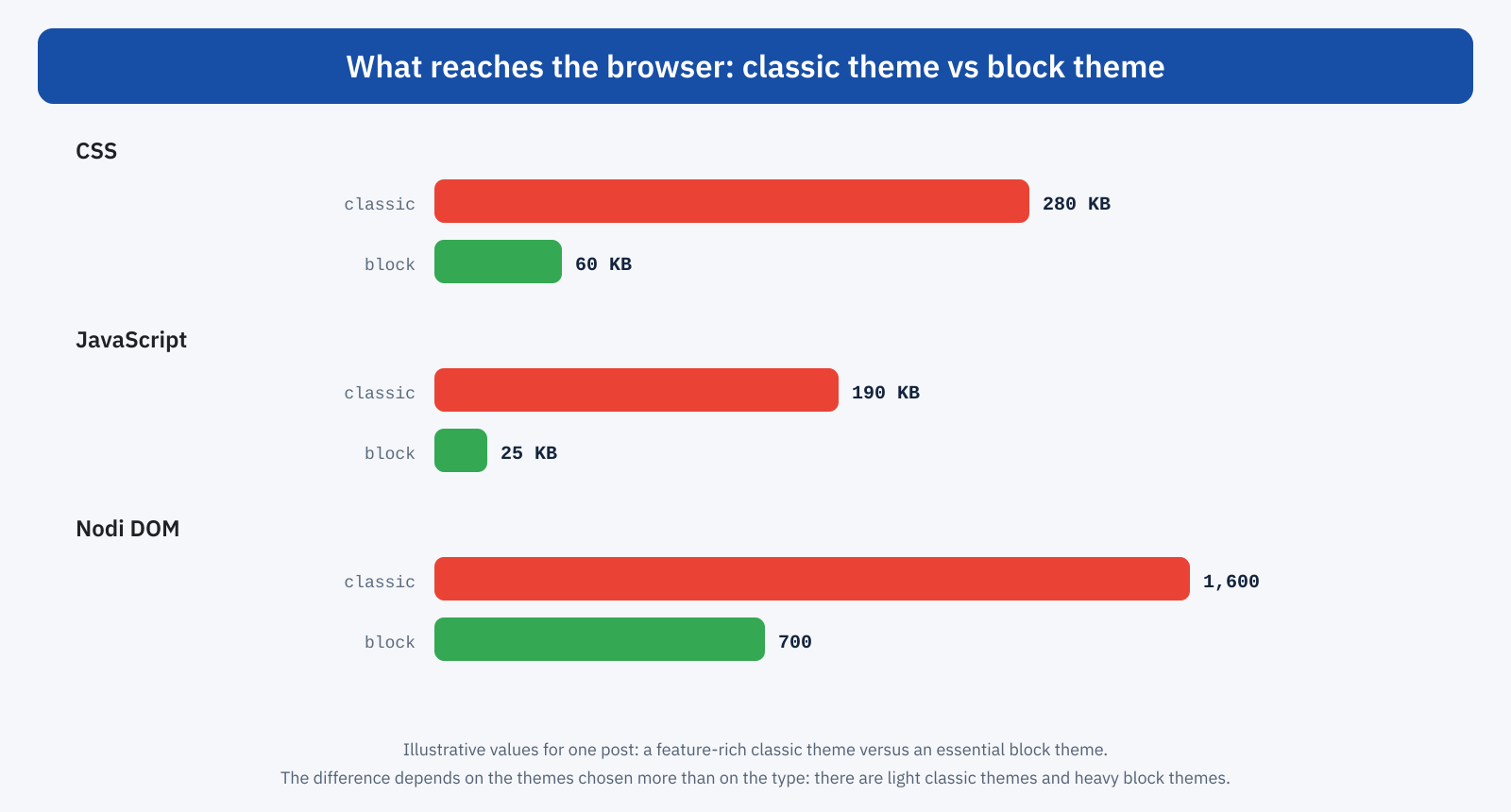
Classic themes, by contrast, often include jQuery and a series of their own scripts loaded on every page: sliders, animations, menus, lightboxes, often even when the page does not use them. This is not an intrinsic feature of the classic model, but a widespread habit, a legacy of an era when jQuery was the standard. The result, in the typical comparison between a feature-rich classic theme and an essential block theme, is a considerable difference in weight.
Where block themes can weigh things down
It would be a mistake to conclude that a block theme is automatically fast. Some features of the model can produce pages heavier than necessary.
- Nested groups. Building complex layouts in the Site Editor easily leads to groups inside groups, columns inside columns, each with its own wrappers: the same problem as page builders, in a more contained form, covered in the article on the cost of the DOM.
- Styles generated for every element. When the editor customizes the margins, colors or layout of a single block, WordPress generates classes and rules specific to that instance, inserted in the page. Many one-off customizations produce a lot of CSS that cannot be reused.
- Bulky global styles. As seen above, numerous palettes and presets inflate the CSS inserted in every page.
- Block plugins. Add-on block collections often load their own stylesheets and scripts for all the blocks in the collection, on all pages, cancelling the benefit of the core’s selective loading.
- Heavy patterns. Ready-made patterns, prepackaged sections to insert with a click, can include large images, animations and deep structures that end up in the page without anyone reassessing them.
Good practices for people working in the Site Editor
With a block theme, some of the choices that affect performance move from whoever develops the theme to whoever builds and updates the pages. A few habits help keep the site light over time. Prefer global styles to single-block customizations: if all buttons must look the same, define it once in the Buttons block styles, rather than repeating it on every instance. Use synced patterns for recurring sections, instead of copying and editing them page by page. Avoid nested groups when a single group with the right layout is enough.
For images, upload files of suitable size and let WordPress generate the variants, rather than inserting huge images resized by the editor. And before installing a block collection to use just one block, check which resources it loads and on which pages: often a pattern built with core blocks achieves the same result without adding anything.
Hybrid themes and modern classic themes
Between the two models there is a middle ground. Many classic themes now adopt theme.json to manage colors, fonts and editor settings, while keeping their templates in PHP: these are the so-called hybrid themes. They benefit from global styles and consistency with the editor, and can enable separate loading of block styles. At the same time, there are classic themes built with great attention to performance, with essential CSS, no jQuery and scripts loaded only where needed, that have nothing to envy in a good block theme.
The type of theme, then, matters less than the quality of its construction. The block model offers some structural advantages, such as selective loading of styles, server-side generation of templates and the absence of historical dependencies, which make it easier to get good performance. But it does not guarantee it.
The LCP image and core blocks
A less obvious advantage of block themes concerns LCP. WordPress’s automatic optimizations, such as adding fetchpriority="high" to the main image and excluding the first images from lazy loading, work better when images are produced by core blocks and functions: WordPress knows the structure of the page and can estimate with good accuracy which image will be the LCP element. With themes and builders that generate image markup in their own way, the estimate is less reliable and often has to be corrected by hand.
Featured images, covers and the background images of Cover blocks are also handled by the core with size attributes and responsive variants, reducing the risk of oversized images and layout shifts.
A concrete example: this site
The site you are reading uses a custom-built block theme. Page templates are HTML files with core blocks, global styles are defined in theme.json with presets kept to a minimum, block styles are loaded only when needed and the stylesheets specific to some sections, such as the blog, are loaded only on the pages that use them. Front-end JavaScript is kept to a minimum, so much so that even the table of contents of articles is generated on the server, and fonts are hosted locally and reduced to the characters needed. The result is a page with few requests, contained CSS and no render-blocking scripts, without giving up a visual editor for content.
Switching to a block theme?
For an existing site, changing theme is a project with costs and risks, and performance is only one of the factors. It is worth considering when the current theme is dated, heavy and hard to optimize, when a visual redesign is planned anyway, or when the site is already built mostly with blocks in the content. In many other cases, work on the existing theme, such as enabling separate loading of styles, removing jQuery and unnecessary scripts and adopting theme.json, delivers most of the benefits at a much lower cost.
For a new site, on the other hand, an essential block theme is today an excellent starting point: aligned with WordPress’s development direction, light by construction and with fewer dependencies to manage over time.
How to evaluate a theme
Regardless of the model, a few quick checks say a lot about the quality of a theme from a performance point of view. On a sample page with realistic content, in the DevTools Network panel: how many stylesheets and scripts are loaded, how much they weigh, whether jQuery is present, whether there are scripts in the head that block rendering. In the console: the number of elements on the page with document.querySelectorAll('*').length. In PageSpeed Insights: the LCP element, the presence of unused CSS and JavaScript, the warnings about DOM size.
The comparison should always be made with the same content and without additional plugins, to isolate the theme’s contribution. And it should be repeated after adding the plugins the site will really use: a light theme is not enough if every plugin adds its own styles and scripts to all pages.
In short
Block themes have some structural advantages for performance: they load only the styles of the blocks present, generate templates on the server, use very little JavaScript and integrate better with WordPress’s automatic image optimizations. They can, however, weigh things down through bulky global styles, deep nesting, one-off customizations and careless block plugins.
The quality of construction matters more than the model: a well-made classic theme can be lighter than a neglected block theme. For new sites, an essential block theme is the most natural choice; for existing ones, it is better to first bring the good practices of the block model into the current theme, and consider switching only when the benefits justify the project.
